URL Categories
URL Categories allows administrators to create a custom logical grouping of URLs that they define that can be set to be blocked or bypassed from SWG inspection.
Creating an URL Category
-
Log in to the Safous admin console using admin credentials.
-
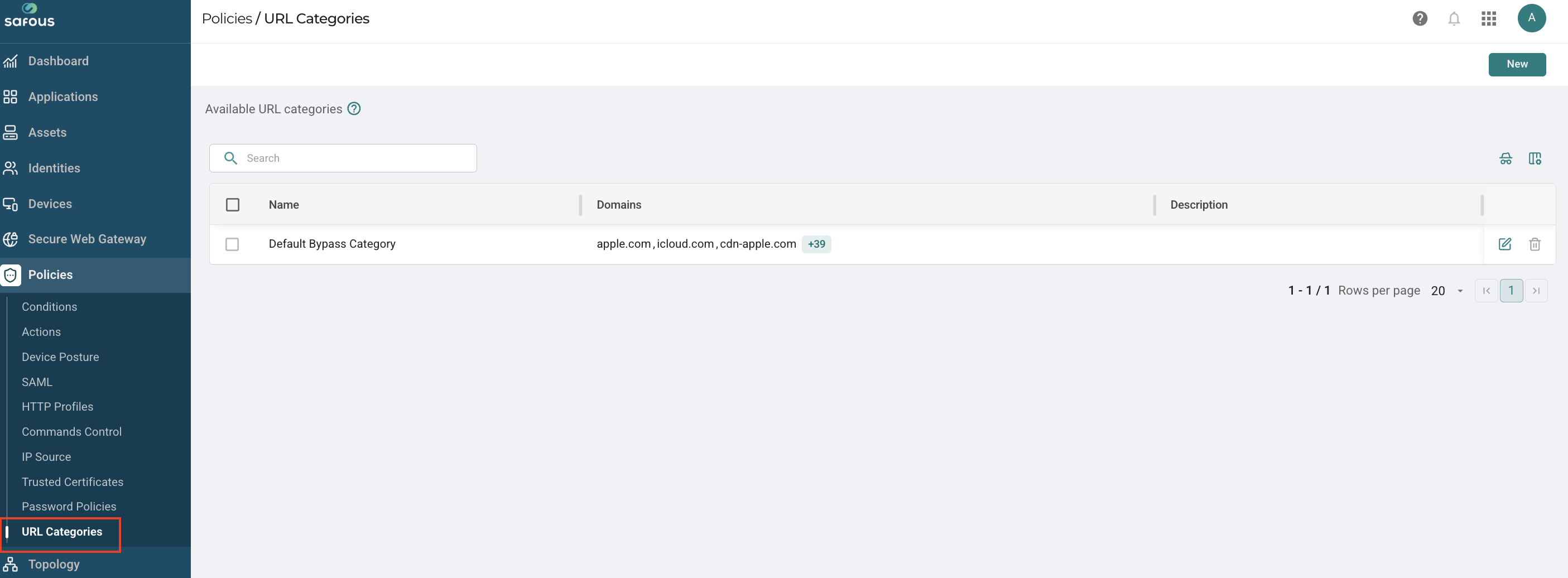
Navigate to the Policies > URL Categories page.
-
Click New to create a new URL Category.
-
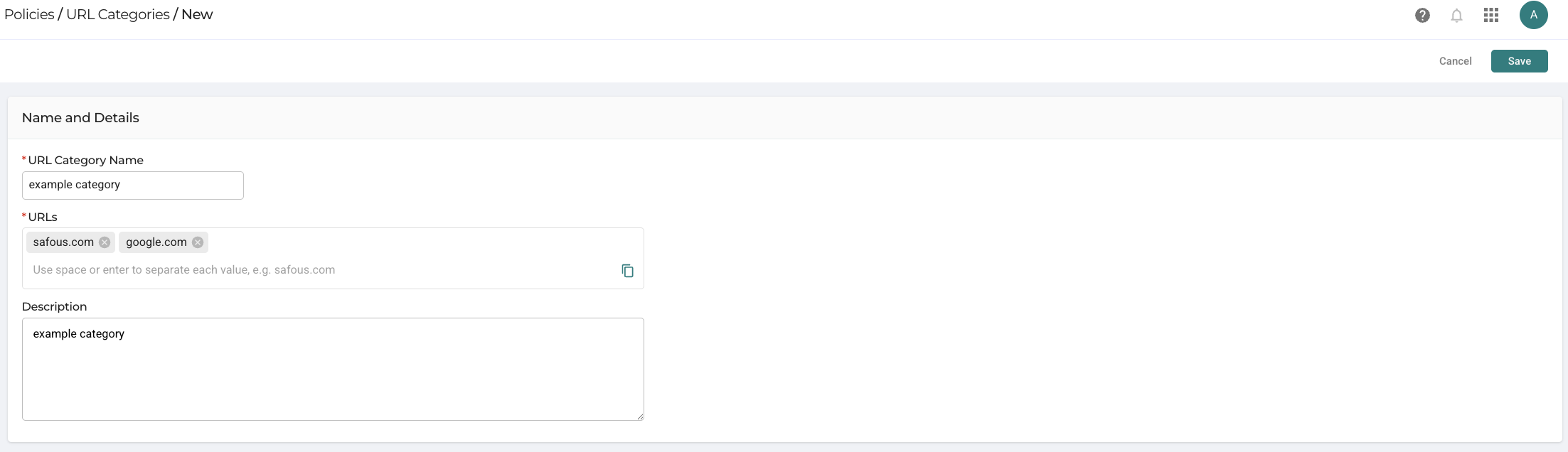
In the new window, enter the following information:
-
URL Category Name: Enter a descriptive name for the URL Category.
-
URLs: Enter the URL addresses. For example, safous.com, google.com, etc. Press Enter or Spacebar after each entry.
-
Description: Provide additional information about the URL Category for future reference.
-
Click Create to save the new URL Category.
-
-
Assigning the URL Category to an SWG Actions Profile
To block or bypass a URL based on the URL Category created, it must be assigned to an SWG Actions profile.
-
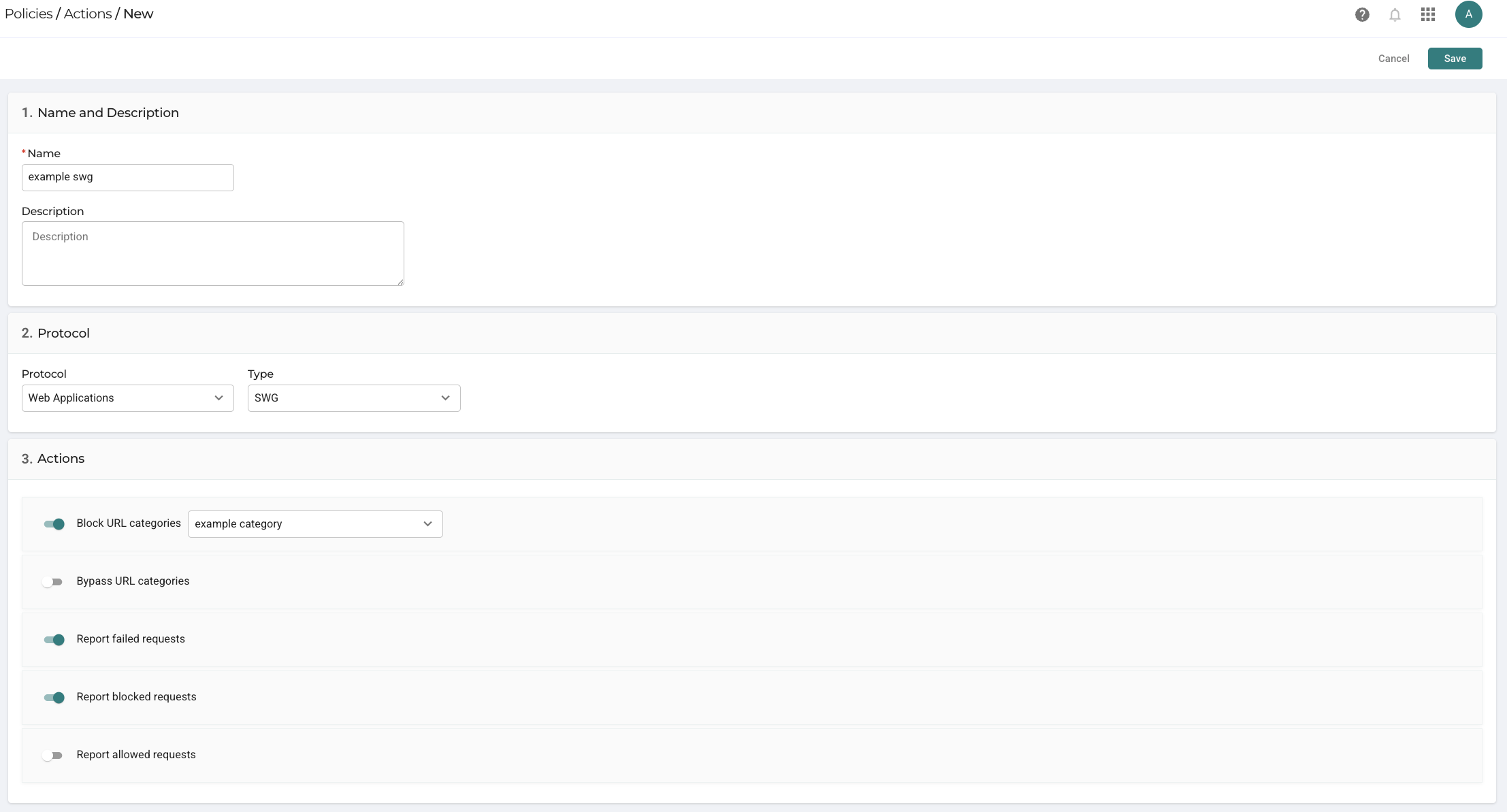
Navigate to the Policies > Actions page.
-
Click Add to create a new Actions profile or edit an existing SWG Actions profile.
-
Enter the Actions details:
a. Name: Enter a name for the profile.
b. Description: Optionally, add a description to explain the purpose of the condition.
c. Enable either the checkbox Bypass URL Categories or Block URL Categories
d. Click the bar and select the URL category from the drop-down menu.
e. Click Save to create or update the Actions profile.
Applying the Actions Profile to an SWG Policy
The Actions profile must be associated with an SWG policy to control access based on the defined URL category.
-
Navigate to the Secure Web Gateway page.
-
Create a new SWG policy or edit an existing one to apply the actions.
-
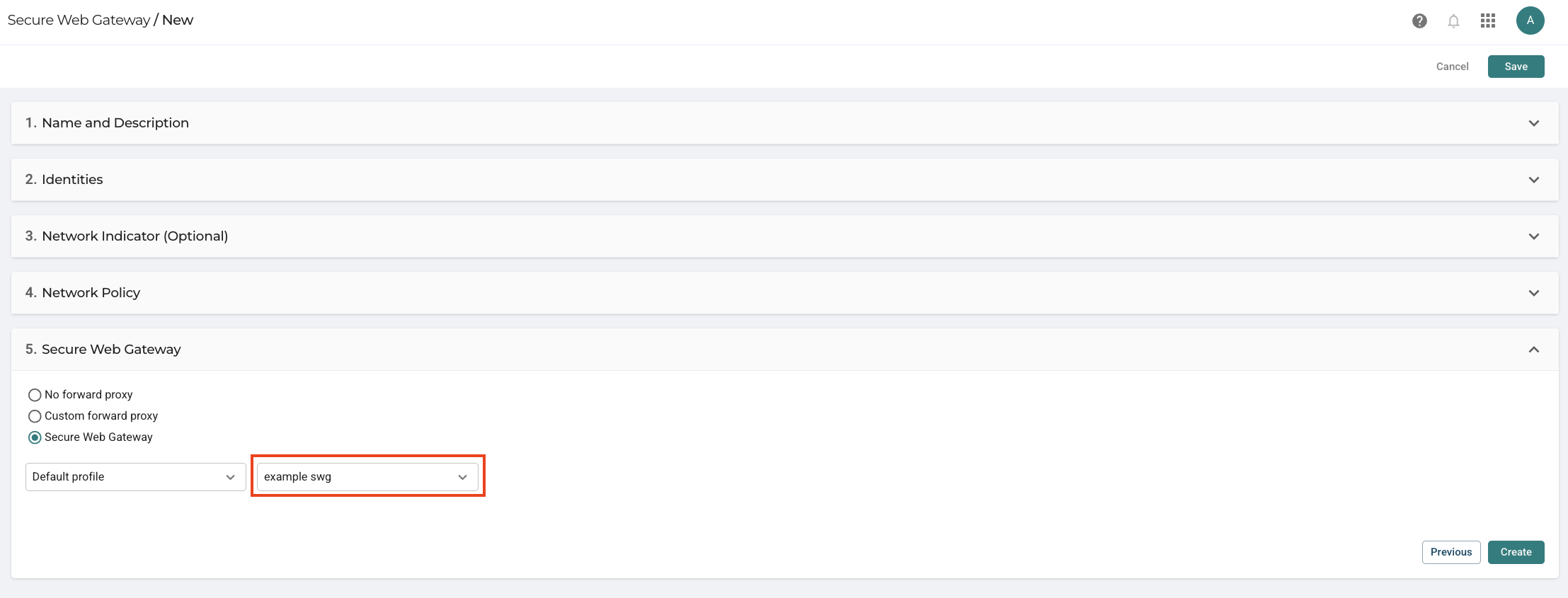
Scroll down to the Secure Web Gateway section.
-
Select the Secure Web Gateway option and select the Actions profile you created previously.
-
Click Create/Save to save the SWG policy.
By following these steps, you can create a URL Category, set actions based on that category, and enforce those actions on SWG policy, ensuring that access to those URLs are bypassed or blocked from SWG.
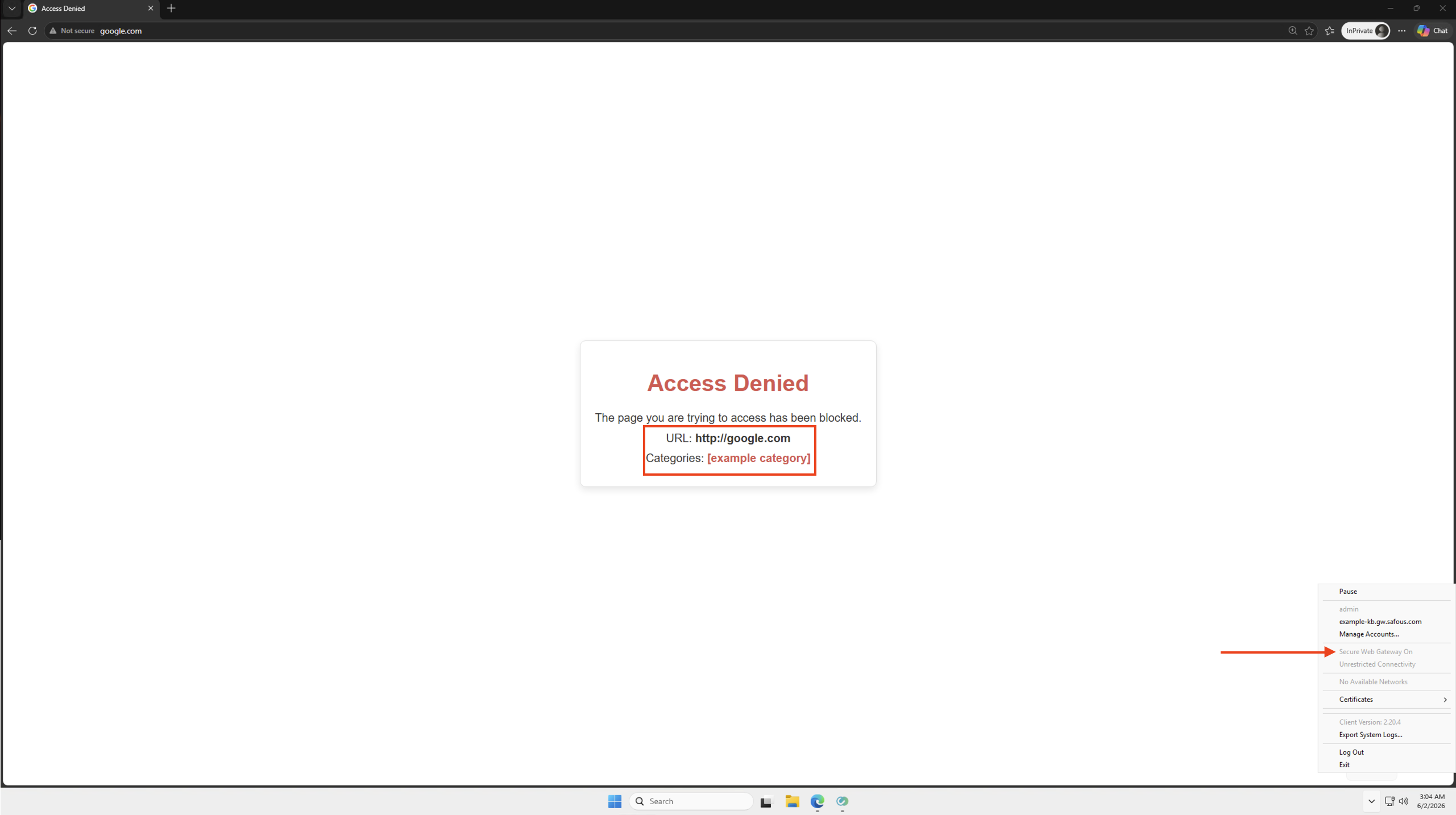
SWG Inspection Result
- If you have set the URL category to be bypassed, user will be granted access to the URL you define in that category
- If you have set the URL category to be blocked, user access will be denied to the URL you define in that category, shown in the following screenshot