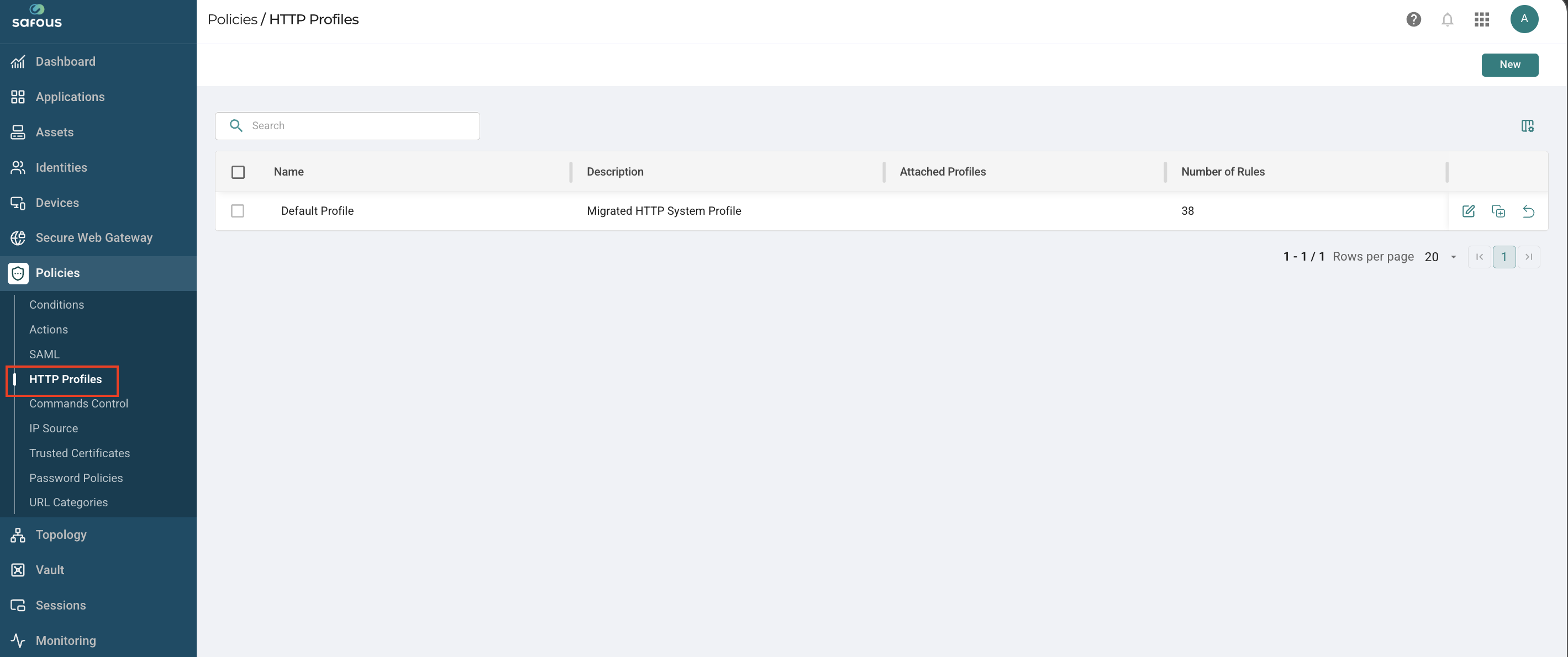
HTTP Profiles
In Safous, the Web Application Firewall (WAF) can be configured in HTTP Profiles.
For explanation of the WAF logic, please see this article.
An HTTP Profile is composed of one or more rules. Each rule consists of one or more conditions used to inspect incoming requests.
Condition
A condition is the smallest evaluation unit within a rule. It defines a single matching criterion based on 4 parameters: Source, Transform, Operation, and Pattern.
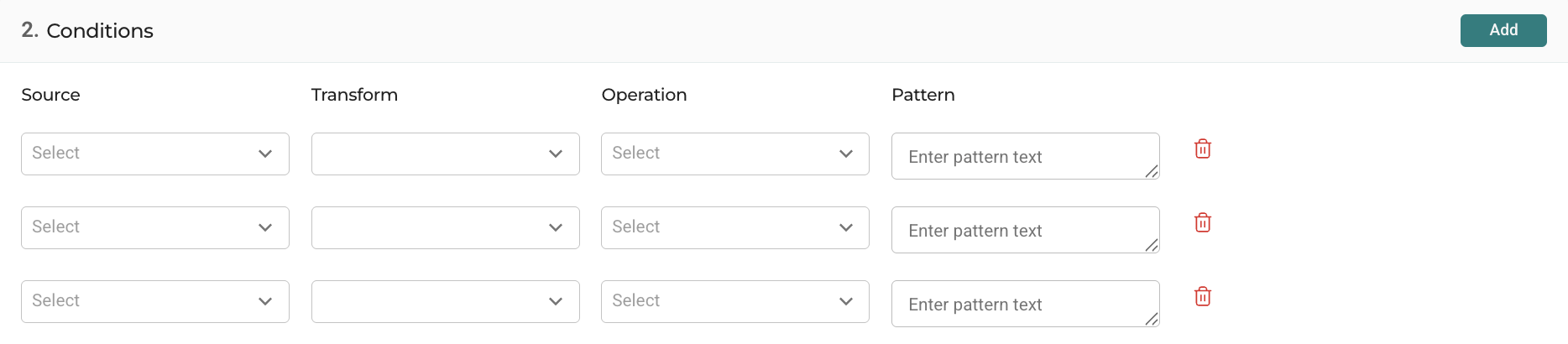
Source
Defines which part of the HTTP request the WAF should inspect.
| Source | Description |
|---|---|
| Method | The HTTP request method, such as GET, POST, PUT, or DELETE. |
| Uri | The requested URI path, for example /login.html or /admin/api. |
| Uri args | Parameters embedded directly in the URI path. |
| Query string | The portion of the URL after ?, including URL parameters. |
| Headers | HTTP request headers such as User-Agent, Referer, or Host. |
| Cookies | Cookie values sent by the client in the request. |
| Form | Form data submitted in the request body, typically via POST requests. |
| Request args | All request parameters combined, including query strings and form fields. |
Transform
Applies preprocessing or normalization to the source data before evaluation.
Multiple transforms can be applied sequentially before the operation is evaluated. This helps normalize encoded or obfuscated input prior to inspection.
| Transform | Description |
|---|---|
| Uri decode | Decodes URL-encoded characters such as %20 into readable text. |
| HTML decode | Decodes HTML entities such as < into <. |
| JS decode | Decodes JavaScript escape sequences. |
| CSS decode | Decodes escaped CSS characters and sequences. |
| Base64 decode | Decodes Base64-encoded content into plain text. |
| Trim | Removes whitespace from both the beginning and end of the data. |
| Ltrim | Removes whitespace from the beginning of the data. |
| Rtrim | Removes whitespace from the end of the data. |
| Replace nulls | Replaces null byte characters with spaces or safe characters. |
| Remove nulls | Removes null byte characters entirely. |
| Compress whitespace | Replaces multiple whitespace characters with a single space. |
| Lowercase | Converts all characters to lowercase. |
| Uppercase | Converts all characters to uppercase. |
| Replace comments | Replaces comments with spaces or placeholder characters. |
| Remove comments | Removes comments completely from the data. |
Operation
Defines the comparison or detection logic applied to the processed source data.
Case-insensitive operations (prefixed with i) ignore differences between uppercase and lowercase characters during matching.
| Operation | Description |
|---|---|
| Equals | Matches when the value exactly equals the specified pattern. |
| iEquals | Case-insensitive version of Equals. |
| Not equals | Matches when the value does not equal the specified pattern. |
| Not iEquals | Case-insensitive version of Not equals. |
| Refind (Regex) | Matches using a regular expression pattern. |
| Contains | Matches when the value contains the specified pattern. |
| Not contains | Matches when the value does not contain the specified pattern. |
| iContains | Case-insensitive version of Contains. |
| Not iContains | Case-insensitive version of Not contains. |
| ContainsAny | Matches if any value from a list of patterns is found. |
| IcontainsAny | Case-insensitive version of ContainsAny. |
| DetectXss | Detects patterns commonly associated with Cross-Site Scripting (XSS) attacks. |
| DetectSQLI | Detects patterns commonly associated with SQL Injection attacks. |
Pattern
Specifies the value or expression used by the operation for matching. This can be a string, keyword, regular expression, or other matching criteria.
Rule
A rule is a collection of one or more conditions combined using AND logic.
A rule is considered matched only when all conditions within that rule evaluate to true.
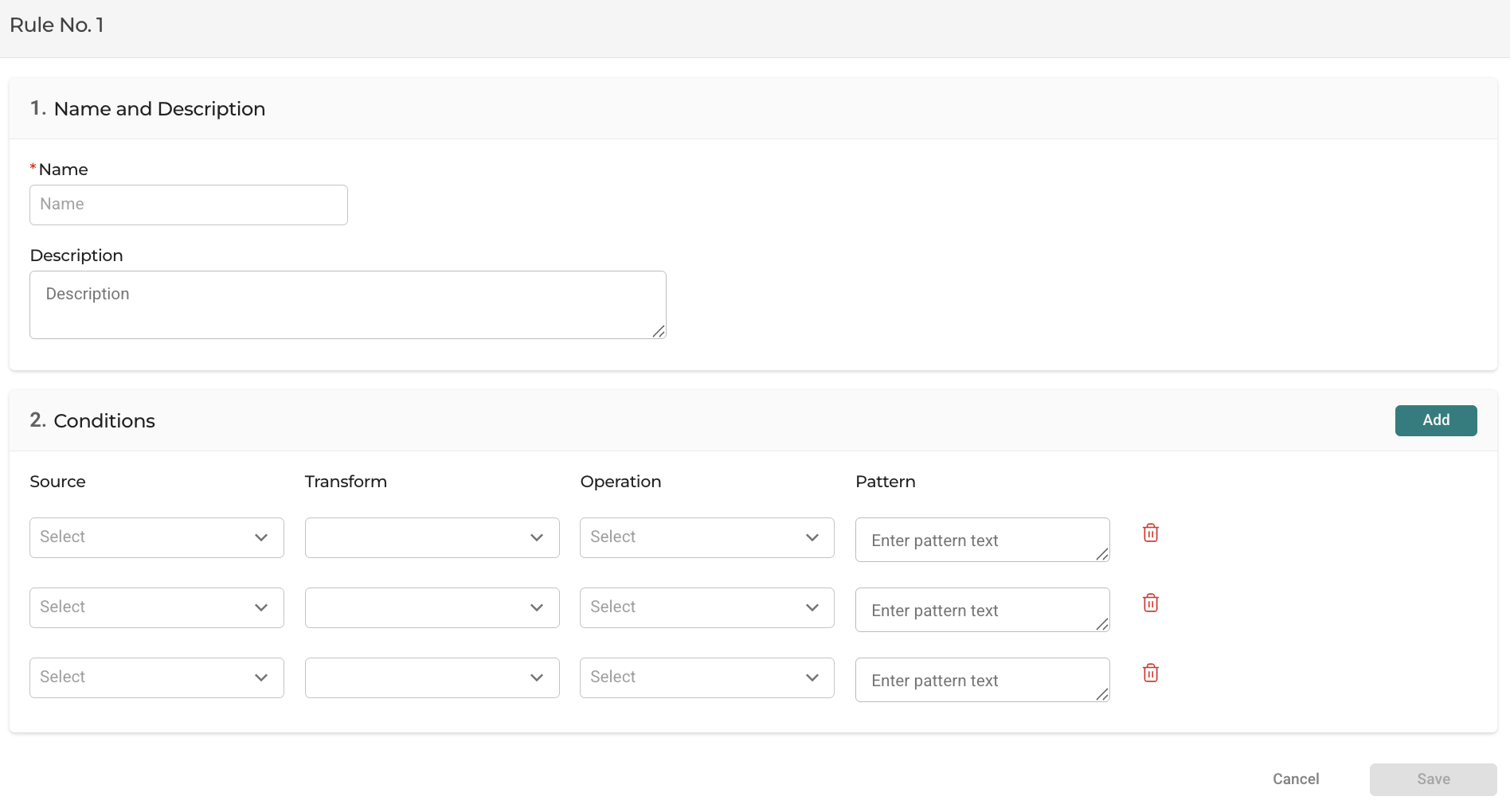
for example:
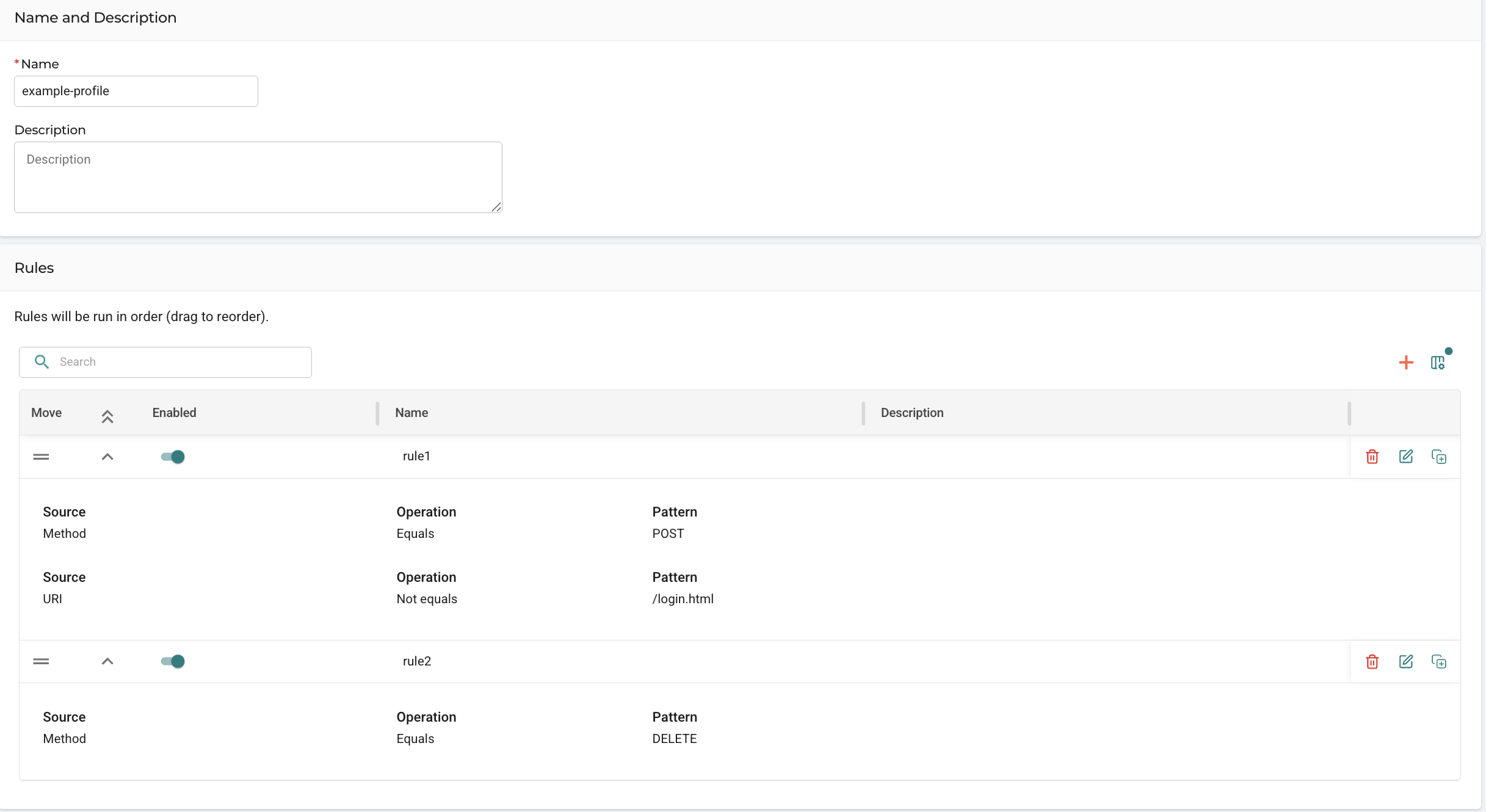
In this example:
- Rule 1 matches POST requests except for /login.html
- Rule 2 matches DELETE requests
The HTTP Profile matches if either rule is satisfied
Assigning the HTTP Profiles to an HTTP/HTTPS Actions Profile
To use the HTTP Profiles you created, it must be assigned to an HTTP/HTTPS Actions profile.
-
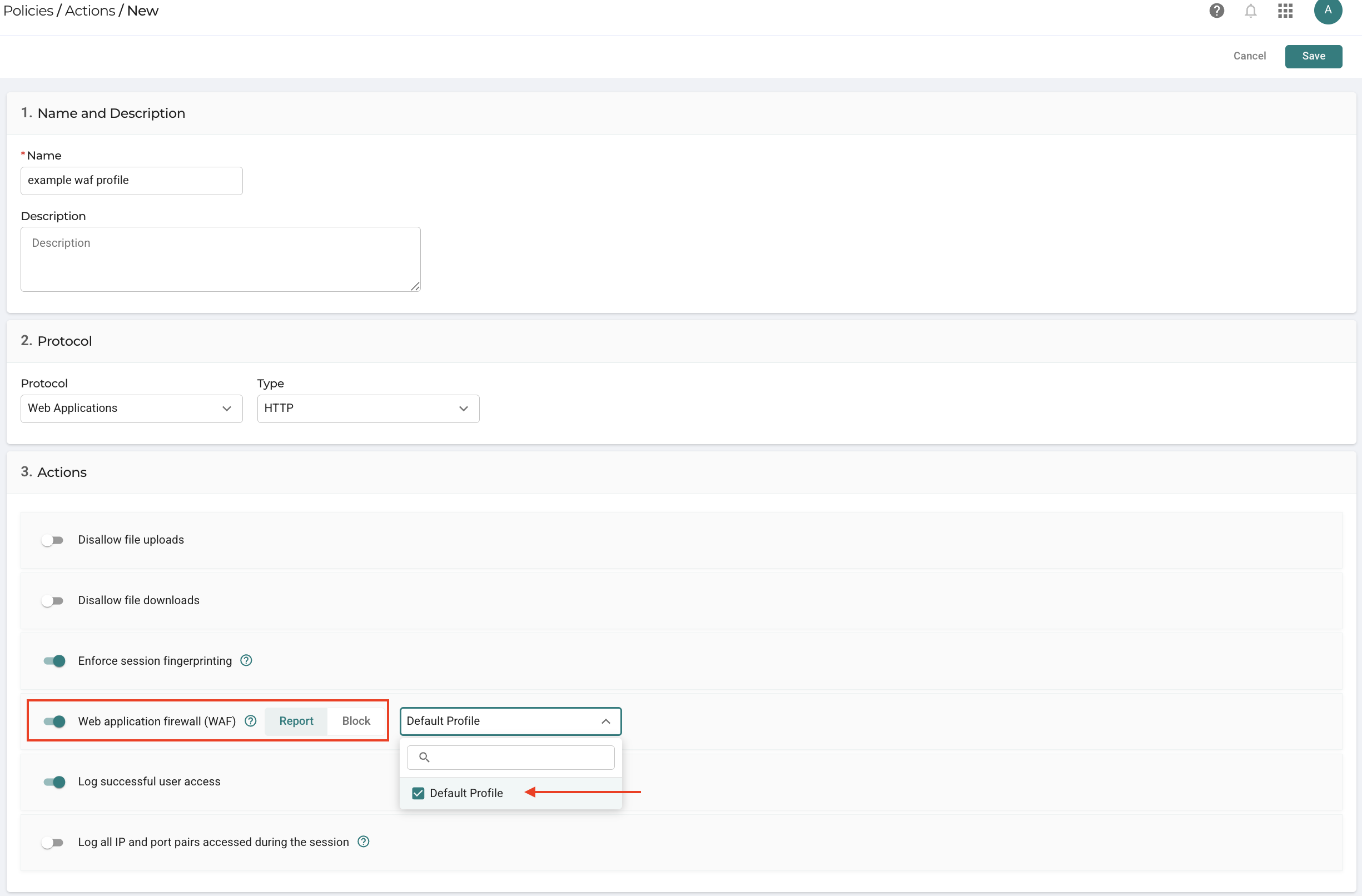
Navigate to the Policies > Actions page.
-
Click Add to create a new Actions profile or edit an existing HTTP/HTTPS profile.
-
Enter the Condition details:
a. Name: Enter a name for the profile.
b. Description: Optionally, add a description to explain the purpose of the condition.
c. Protocol: Set protocol to Web Applications and type to HTTP/HTTPS
d. Enable the checkbox Web Application Firewall (WAF)
e. Select either Report or Block.
f. Click the box and select the HTTP profile from the drop-down menu.
g. Click Save to create or update the Conditions profile.
Applying the Actions Profile to an Application
The Actions profile must be associated with an HTTP/HTTPS application to control access based on the defined WAF rules.
-
Navigate to the Applications page.
-
Create a new application or edit an existing one to apply the condition.
-
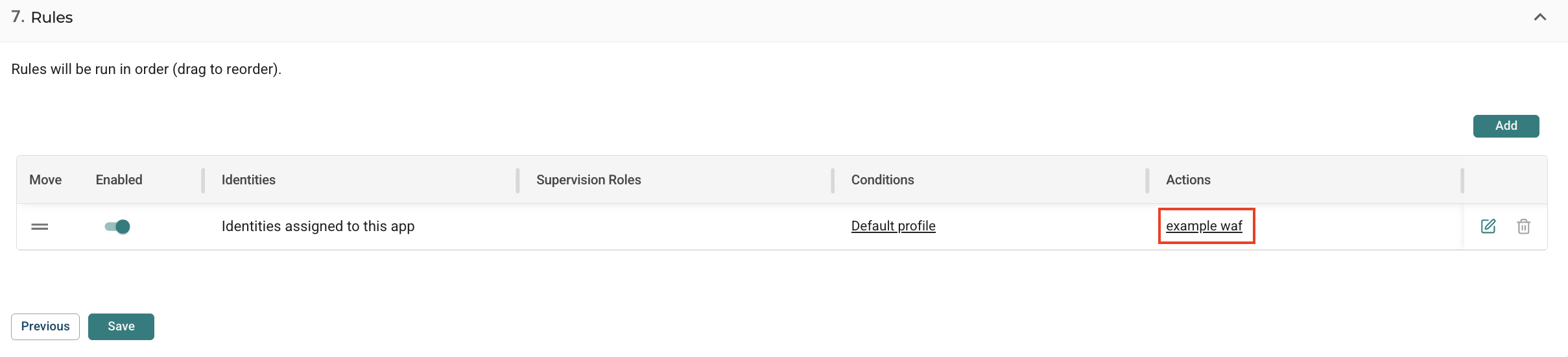
Scroll down to the Rules section of the application and click the Edit icon.
-
In the Rule window, click the Actions drop-down menu, and select the Actions profile you created.
-
Click OK to apply the Actions profile to the application.
-
Click Save to save the application.
By following these steps, you can create an HTTP profile, set conditions and rules, and enforce those on application Actions, ensuring that a matching traffic is blocked or reported according to your specifications for an HTTP/HTTPS application.
Match results
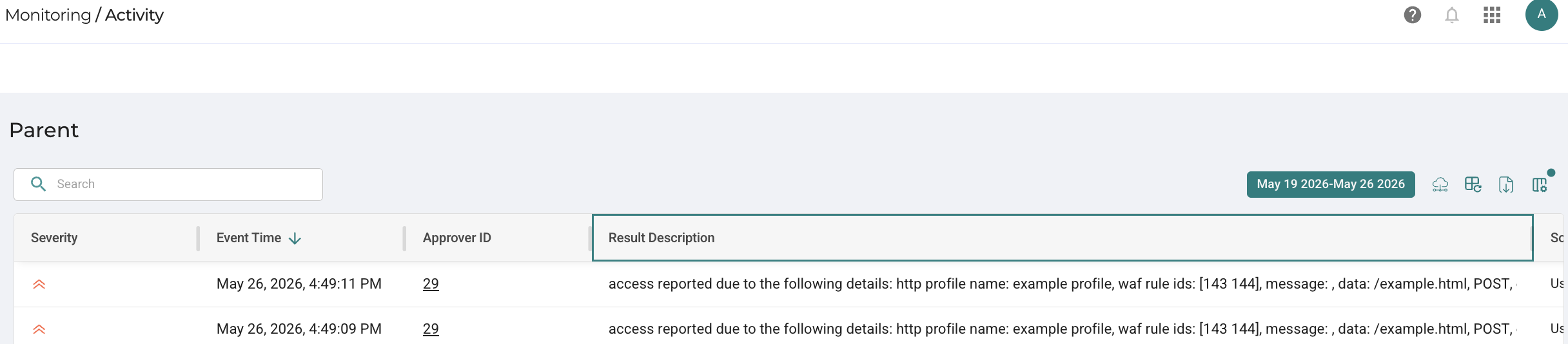
Report
Traffic pattern that match the applied WAF rule will be reported in the Activity Log.
Block
Traffic pattern that match the applied WAF rule will be blocked and the user is redirected to this page.