How to install App Gateways to server with CIS Level 1
Important
- To use CIS Level 1, the following knowledge is required. Safous does not provide support for these knowledge and how to use these commands.
- Knowledge about CIS Level 1
- Knowledge regarding the relationship between docker and CIS Level 1
- Knowledge about nftables and how to use nft command
- This article is based on our verification results. It does not guarantee operation. Please use it after thorough verification yourself.
info
This article is for only Ubuntu 24.04 LTS with CIS Level 1. Other operating systems and versions are not covered.
Obtaining Token & Installer
Please follow Obtaining Token & Installer
Executing the Installer
After acquiring the installation token and the installer file, the next step is to run the installer. Please follow the steps below in order to successfully install the Application Gateway:
- Execute the installer by running this command with CIS Level 1 option "-s cis1"
sudo bash installer -s cis1 - as same as Executing the Installer No. 2
- as same as Executing the Installer No. 3
- as same as Executing the Installer No. 4
- as same as Executing the Installer No. 5
- The installer will display your choices and ask for the final confirmation before proceeding for the installation of the App Gateway.
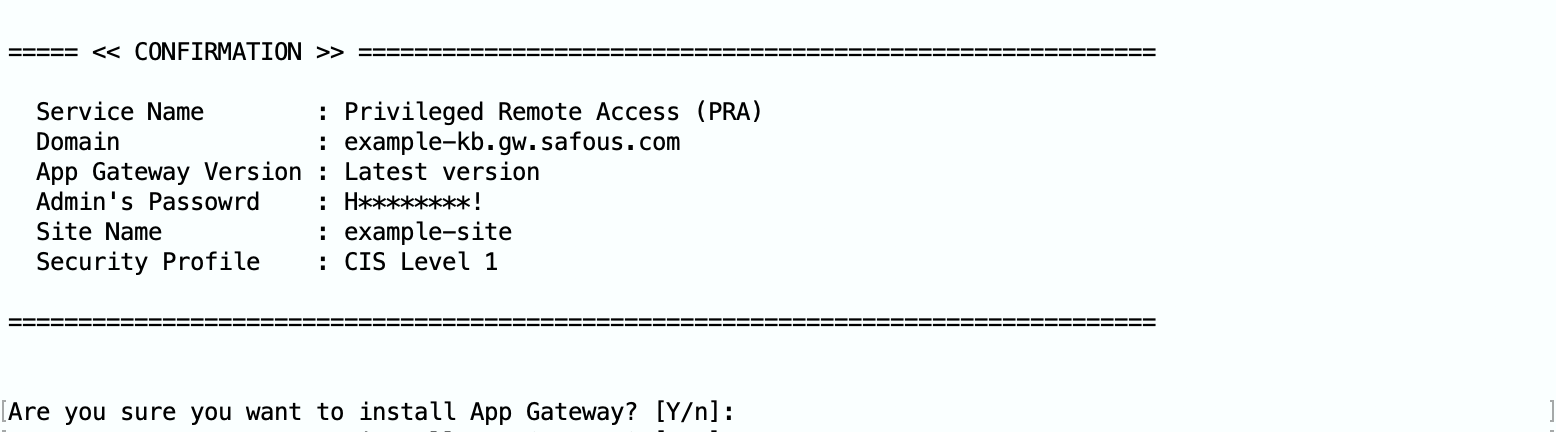
- Enter y to install the App Gateway.
- Enter n to exit the installer.
How to setup additional settings for CIS Level 1
- The installer will wait to finish setting up additional settings for CIS Level 1.
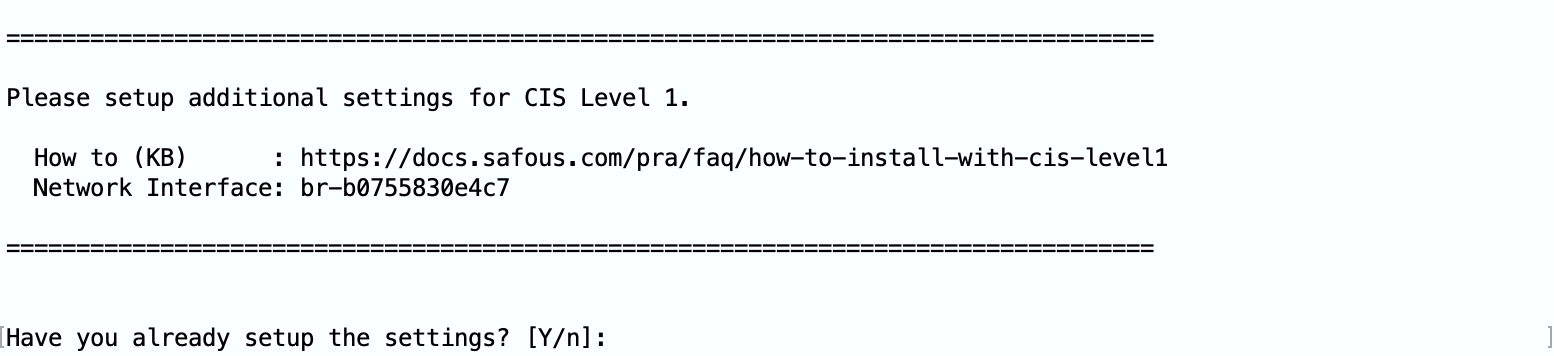
- Please copy Network Interface "br-xxxxxxxxxxxx" and set NETWORK_IF variable.
NETWORK_IF=br-xxxxxxxxxxxx - Create additional nftable rules for docker network.
cat <<EOF | sudo tee /etc/safous-nftables.rules
# ping rule for gateway
add rule inet filter input iifname "${NETWORK_IF}" icmp type echo-request accept
add rule inet filter input iifname "${NETWORK_IF}" icmp type echo-reply accept
# forward rule for outside
add rule inet filter forward ct state established,related accept
add rule inet filter forward iifname "${NETWORK_IF}" accept
add rule inet filter forward oifname "${NETWORK_IF}" accept
EOF- These additional rules are
- allow ping to docker network's gateway (network interface)
- allow accessing to the Internet
- These additional rules are
- Add the above rules to /etc/nftables.conf
echo 'include "/etc/safous-nftables.rules"' | sudo tee -a /etc/nftables.conf - Reload nftables rules
sudo systemctl reload nftables - Restart docker
sudo systemctl restart docker - After applied additional nftable rules, input "Y". The installer will perform remaining installation tasks.

Verification
Please follow Verification