System Admins
You can reset Enrollment(MFA) and Password of System Admin Users. This users management can be accessed by navigating to Settings > PRA > Configurations > System Admins. Below is the example screenshot for the Users management that you could find in Admin Portal.
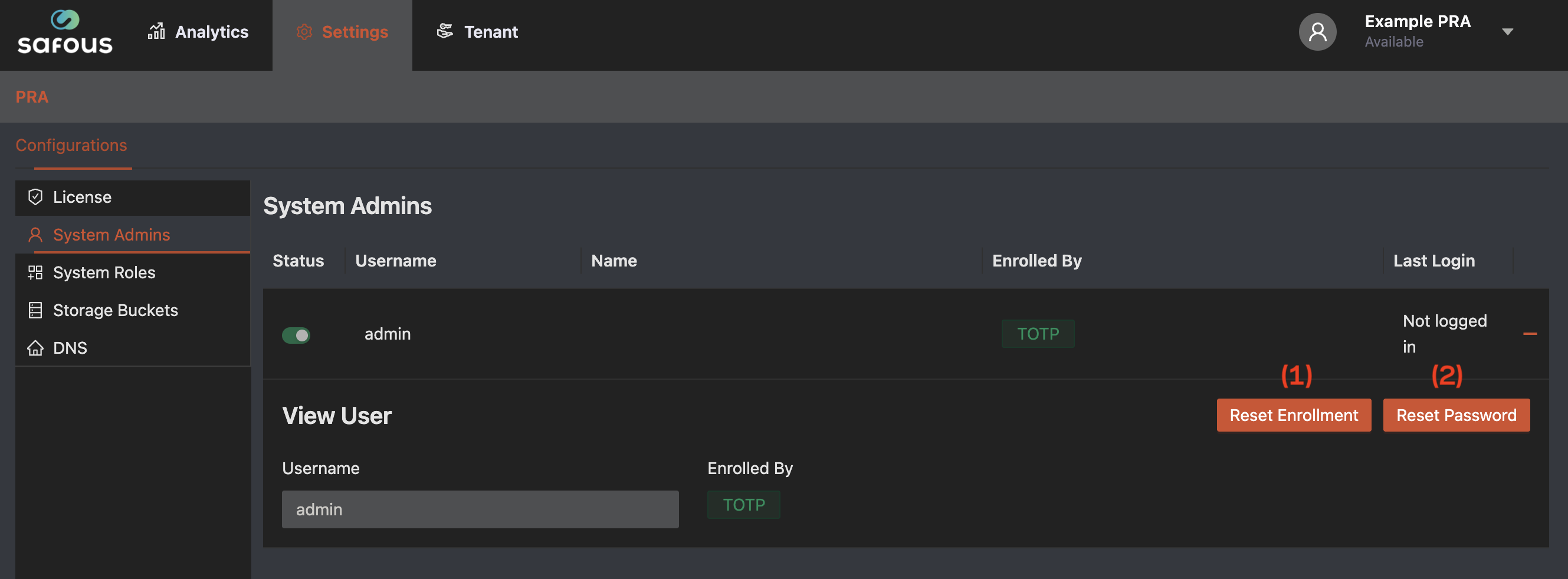
- Reset Enrollment button: Reset the user's enrollment status to "not enrolled". This enables the user to change their enrollment method.
- Reset Password button: Reset the user's password and set a new one.