Site-to-Site VPN with Safous Linux Agent
Use Cases
- Site-to-Site VPN between branch office and head office, or between remote sites and the data center (DC)
Diagram
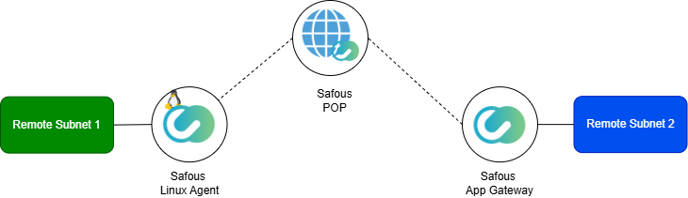
Components to set up:
-
Remote Subnet 1:
Set the network gateway to the Linux Server running the Safous Agent. -
Linux Server with Safous Linux Agent:
Enable IP forwarding and set up tunneling using the Safous Agent. -
Safous POP:
No configuration required by the user. -
Safous App Gateway:
Configure the network applications in Remote Subnet 2 to be accessible by the Safous Agent. -
Remote Subnet 2:
No configuration required by the user.
How to
On Safous App Gateway (via Admin Portal)
-
Create an Agent Token
-
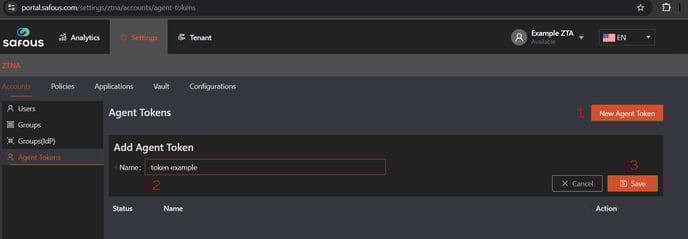
Navigate to: Settings > Accounts > Agent Token > New Agent Token.
-
Enter a name for the token and click Save.
-
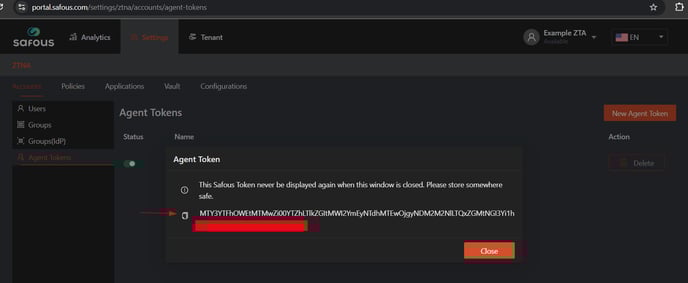
A new token will be generated—be sure to save it in a secure location, as it will only be shown once.
-
-
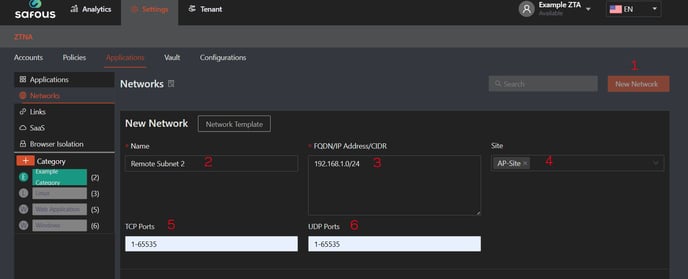
Create a Network Application
-
Add the subnet for Remote Subnet 2, including the relevant ports and site association.
-
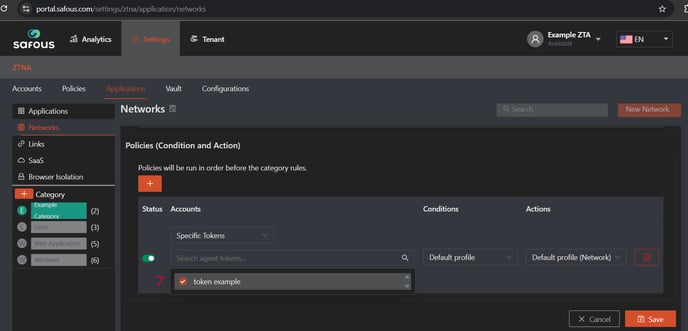
Define an access rule that allows the newly created agent token to access this network application.
-
On Linux Server with Safous Agent
-
Download Agent in User portal
-
Log in to the user portal.
-
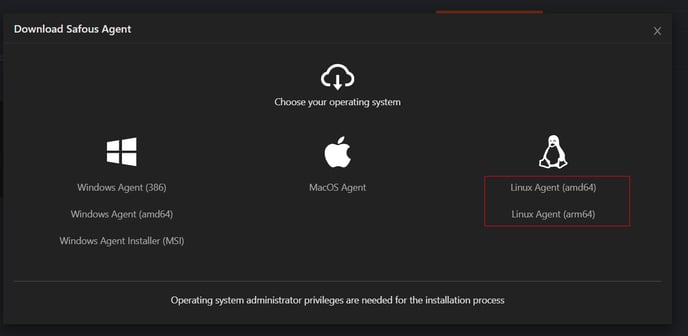
Click "Download Agent" and select the Linux Agent.
-
Transfer the file to your Linux server using
scpor another tool.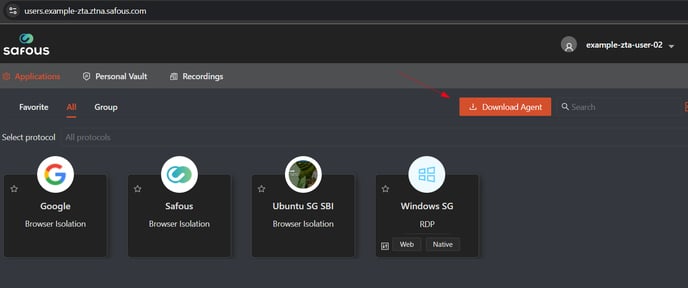
-
-
Install the agent
apt updateapt install libayatana-appindicator3-1mv linux-amd64.deb <tenant>.ztna.safous.com.debdpkg -i <tenant>.ztna.safous.com.deb -
Authenticate and start tunneling
cd /usr/local/share/cyolo/connect/./connect auth login https://login.<tenant>.ztna.safous.com -k <Safous Agent Token>./connect tunnel up./connect tunnel status -
Set the Linux Server as a Network Gateway
sudo nano /etc/sysctl.confnet.ipv4.ip\_forward = 1sudo systctl -p -
Configure iptables (replace enp0s3 with your actual interface)
sudo iptables -t nat -A POSTROUTING -o tun0 -j MASQUERADEsudo iptables -A FORWARD -i enp0s3 -o tun0 -j ACCEPTsudo iptables -A FORWARD -i tun0 -o enp0s3 -m state --state RELATED,ESTABLISHED -j ACCEPT -
Verify routing
netstat -nrEnsure that a route to Remote Subnet 2 exists via the tun0 interface.
On Remote Subnet 1
- Configure all machines in Remote Subnet 1 to use the IP address of the Linux Server’s local interface (enp0s3, for example) as their default gateway.
Do not use the tun0 interface IP as the gateway.