SSO to Github Enterprise
The article outlines the necessary steps to configure Safous as an Identity Provider (IdP) to facilitate Single Sign-On (SSO) with Github Enterprise serving as the Service Provider (SP).
Prerequisites
- Your organization is using Github Enterprise Plan.
- You have access to the GitHub Enterprise administrator account.
Configuration
Register Github Enterprise as a SaaS Application on Safous Admin Console
On the Admin console, go to Applications > Applications and Click New button. Fill out the details as instructed below:
1. Name and descriptions
Give a suitable name for the appliction
2. Provider and Protocol
Select SaaS from the Web Applications protocol options
3. Application parameter
- ACS URL:
https://github.com/enterprises/<Enterprise>/saml/consume. Replace<Enterprise>with the name of your Enterprise on Github. - Entity ID:
https://github.com/enterprises/<Enterprise>. Replace<Enterprise>with the name of your Enterprise on Github. - Relay State (optional): Leave Empty
- SAML assertion content: Select SAML profile for this app.
- Encrypt SAML assertion (optional): Leave Empty
- Allow IdP-Initiated flow (optional): Check the option
- Service provider start page (optional): Leave empty
4. Identities
Select the identities for which this application will be available
5. Supervision and Auditing Roles
Select the roles or you can just continue to the next section
6. Rules
Configure rules for the application
Once done, click save.
IdP Info
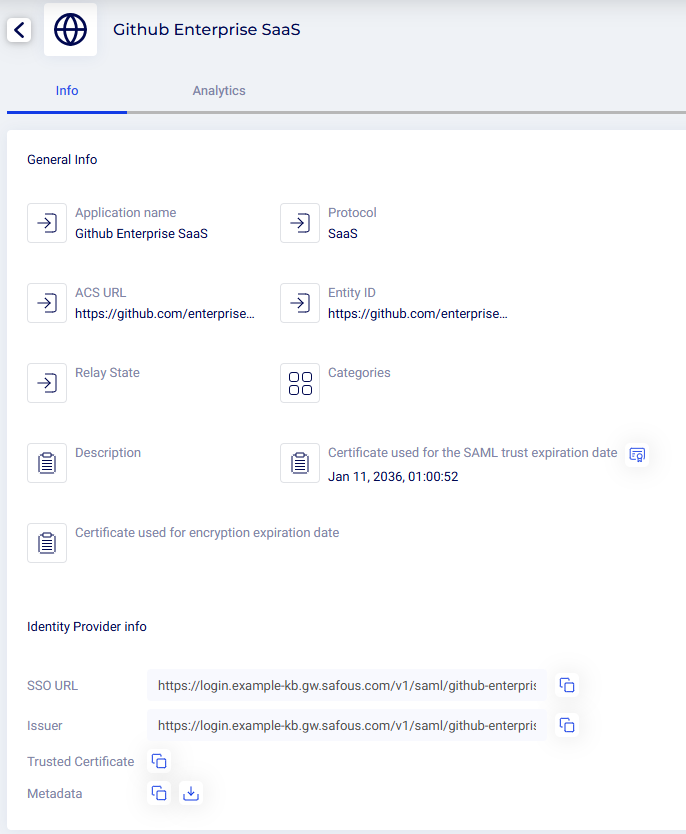
Click on the created application and copy or take note of the generated SSO URL, Issuer and Trusted Certificate.
Configure Safous as an IdP on Github Enterprise
This time we will register Safous as the IdP to use for SAML authentication on Github Enterprise in order to enable SSO.
- Open your Github Enterprise page (
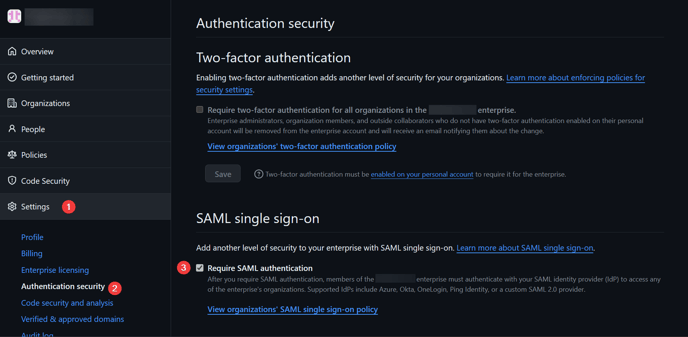
https://github.com/enterprises/<Enterprise>). Replace the<Enterprise>with the name of your Enterprise on Github. - Navigate to Settings > Authentication Security. Click Require SAML authentication.
- Configure the IdP information as detailed below:
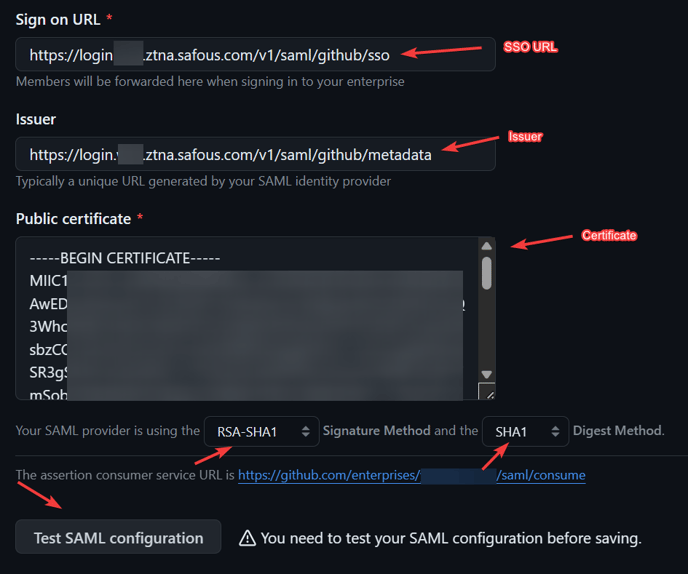
- Set Sign on URL with the previously copied value of SSO URL
- Set Issuer with the previously copied value of Issuer
- Set Public Certificate with the previously copied value of Certificate, and format it by wrapping the certificate like this:

- Change the signature method to RSA-SHA1 and the digest method to SHA1
- Click on the Test SAML configuration button. This will initiate an SP-initiated SSO flow.
- You will be redirected to your Safous tenant's user portal. Log in to Safous user portal with a matching email to the user that exists in your Github Enterprise organization.
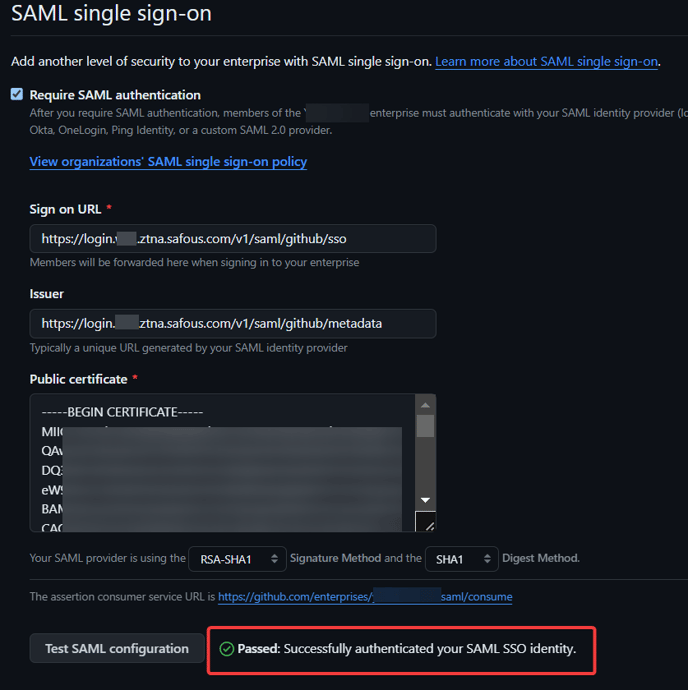
- After you have succesfully authenticated through Safous, you will be redirected back to the Github Enterprise settings page. Notice that the SSO test is successfully done.
- Click Save SAML settings.
- Save the Single sign-on code generated by Github in a safe way then click Enable SAML Authentication.
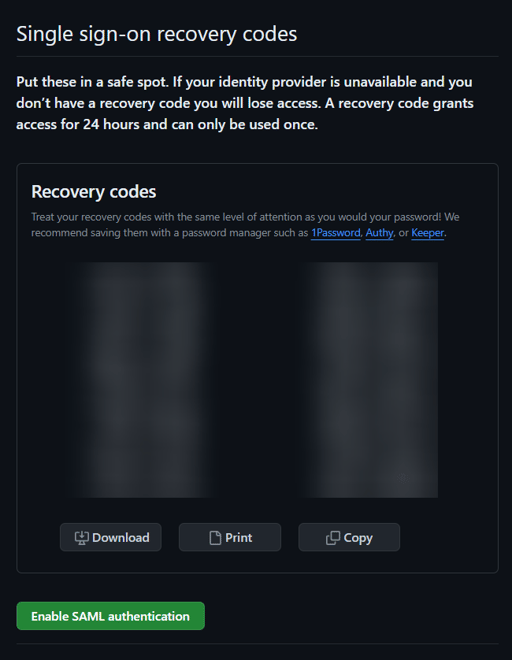
- As the SSO with SAML has been saved and applied, you will be prompted to log in to Github Enterprise page. Click Continue.
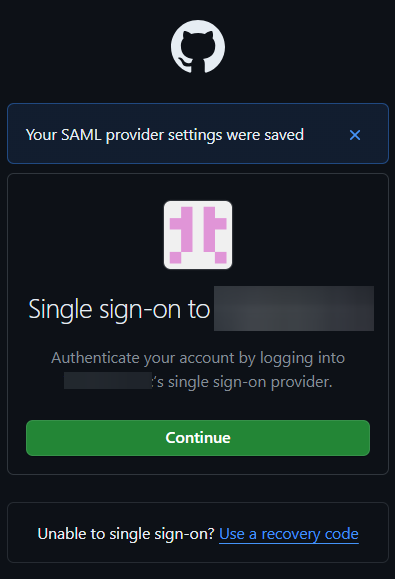
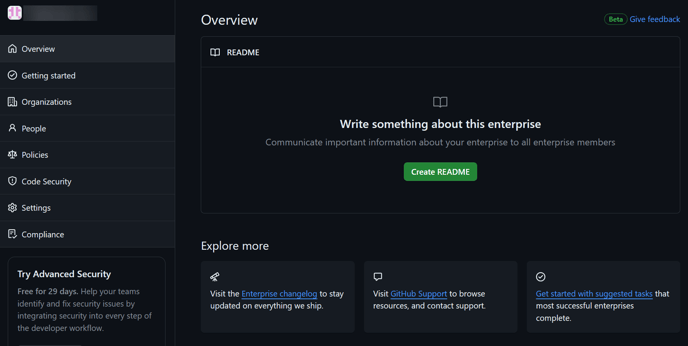
- As you have previously logged in to Safous user portal during the test, you will not be asked to reauthenticate again and can continue to the Github Enterprise page. Notice that the SAML SSO configuration for your Enterprise has been configured succesfully.
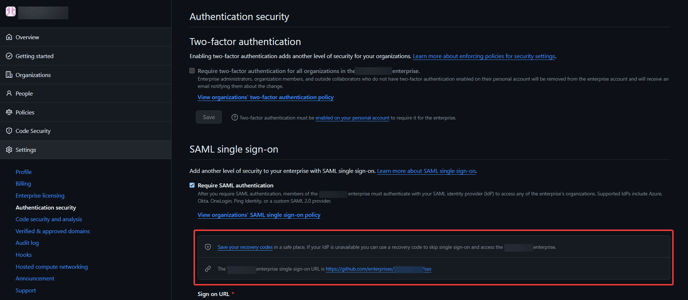
Testing the SSO
As the SP-initiated SSO flow has been tested to be successfully working when we configured the SAML setting on Github Enterprise, we will now continue to test SSO with IdP-initiated flow.
- Go to your Safous tenant's user portal and log in with your credential.
- Click on the github SaaS application.
- You are authenticated to access Github Enterprise resource.

- Enter your Github personal account password to complete SSO.
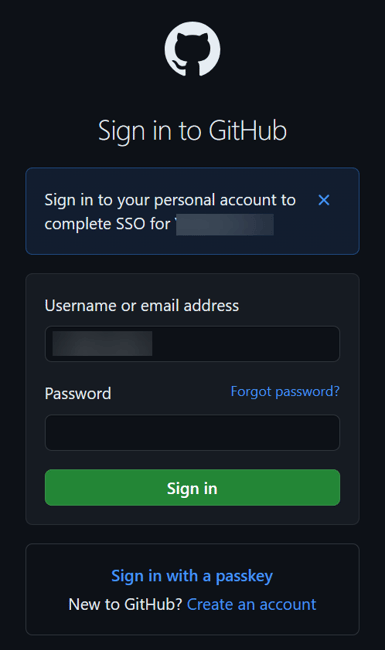
- Now you can access Github Enterprise page
Logs
You can check the logs for SAML authentication on Safous admin console.
- On Safous admin console, go to Monitoring > Activity