Trusted Certificates
This configuration is part of the policy that grants access based on device certificate conditions. You need to install the trusted certificate that signed the device certificate, which is usually a CA (Certificate Authority) certificate. CA certificates are used in Safous ZTA to form trust to end-entity certificates issued by them. The CA certificates are used in Conditions profiles and Device Policies to validate end-entity certificates.
- Navigate to Settings > ZTNA > Policies > Trusted Certificate
- The page shows the list of trusted certificate shown with below details
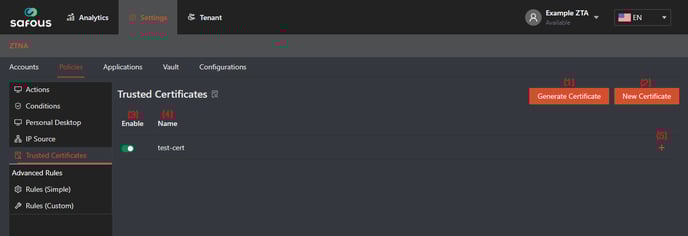
(1) "Generate Certificate" button, to generate CA and use it in Safous Policies
(2) "New Certificate" button, to add your own CA and use it in Safous Policies
(3) Status of the existing Trusted Certificates
(4) Name of the existing Trusted Certificates
(5) "+" button, to expand the information of that specific trusted certificate - To add your Certificate, click on "New Certificate" button
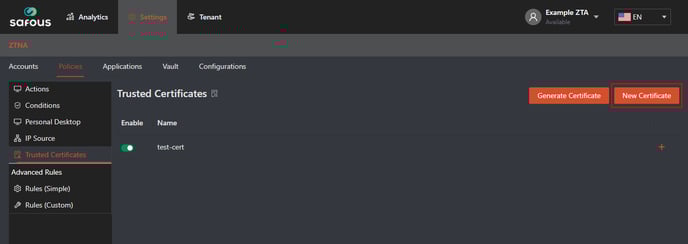
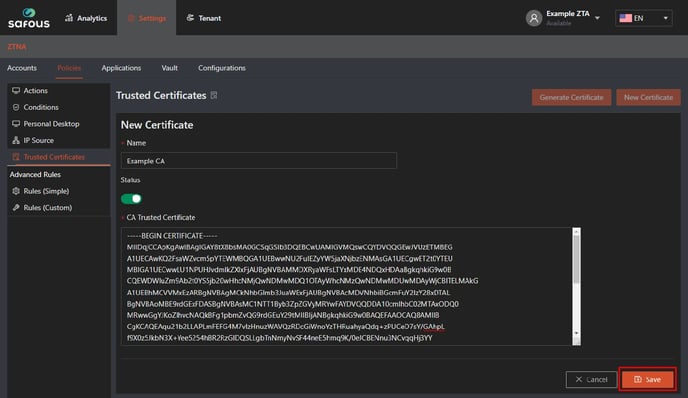
- It will expand the form that you need to fill which is only consist of Name, Status and the CA Trusted Certificate
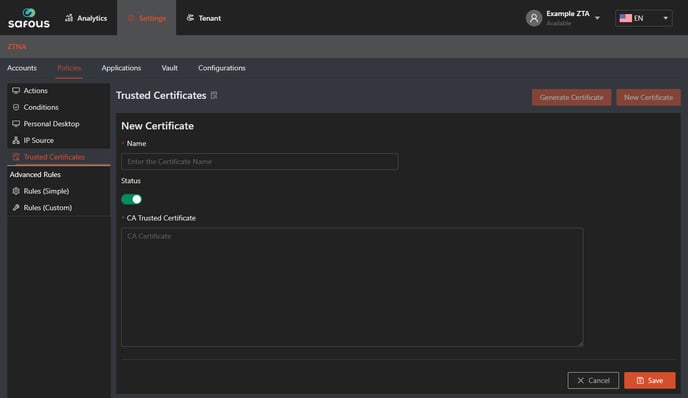
- First, enter a unique value in the "Name" field (this is mandatory)

- Second, changed the status for this certificate, by default it will enabled (green)

- Lastly you need to input the correct format of CA certificate (PEM) in this form

- Example of correct certificate
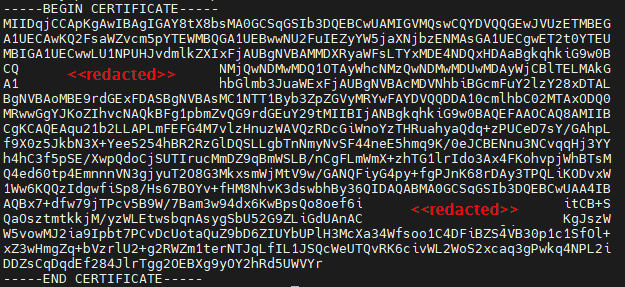
- Example of correct certificate
- Once you're done, just click save
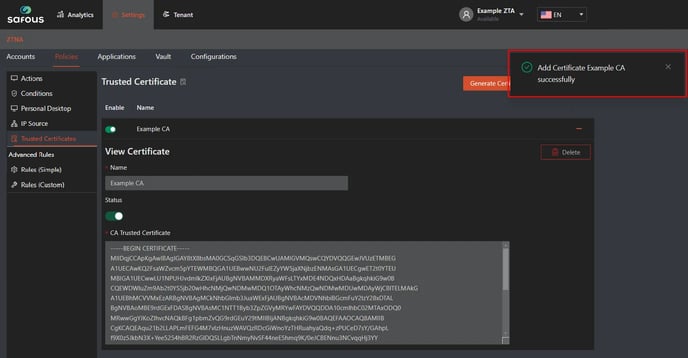
- You will receive a success message when the certificate is added
For testing whether the trusted certificate works, please refer to the article linked here: