Devices
This page displays information of devices that use the Safous agent software. The information is acquired using Osquery. The list includes devices that are currently connected and those that connected in the past.
Below is an example of how Devices page looks like and its explanation:
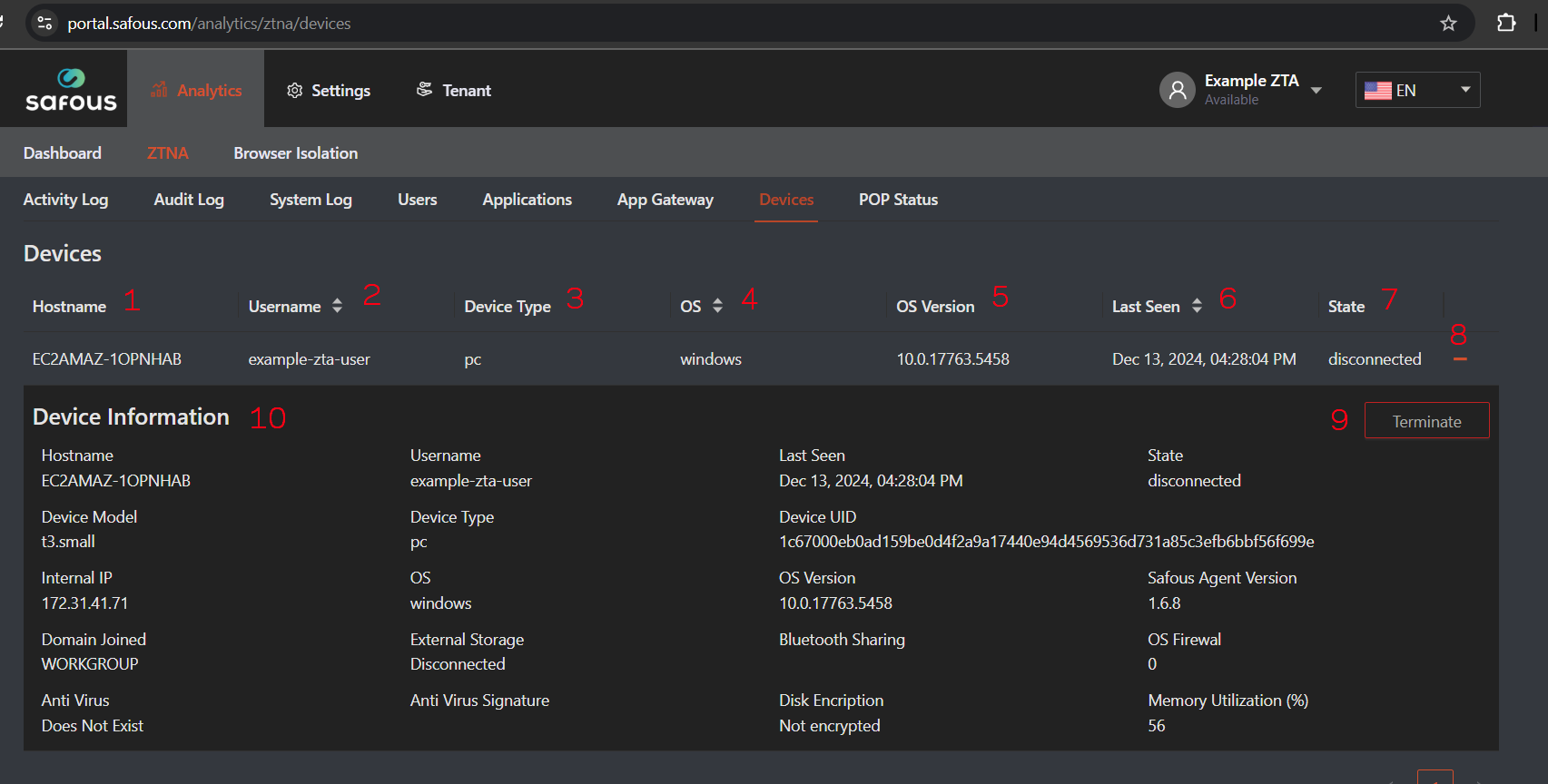
It contains information about devices connected to the Safous App Gateway using the Safous Agent:
-
Hostname: The hostname of the device
-
Username: The username used for authentication
-
Device Type: Indicates whether the device is a PC or mobile
-
OS: The operating system of the device
-
OS Version: The version of the operating system
-
Last Seen: The timestamp of the user's last session
-
State: Indicates whether the device is currently connected or disconnected
-
Expand Button: Allows you to view more detailed device information
-
Terminate Button: Used to terminate the session
-
Device Information: Detailed data about the device, including IP address, antivirus status, and more