Safous I-SRA Installation using custom certificate
This article outlines the necessary steps to install the POP and Application Gateway for I-SRA environment. Generally, the installation of the I-SRA can be segmented into these procedural steps:
- Obtaining Token & Installer
- I-SRA POP Installation
- I-SRA App Gateway Installation
Obtaining Token & Installer
The first procedure to do is to obtain the installation token and the installer file by conducting these steps:
-
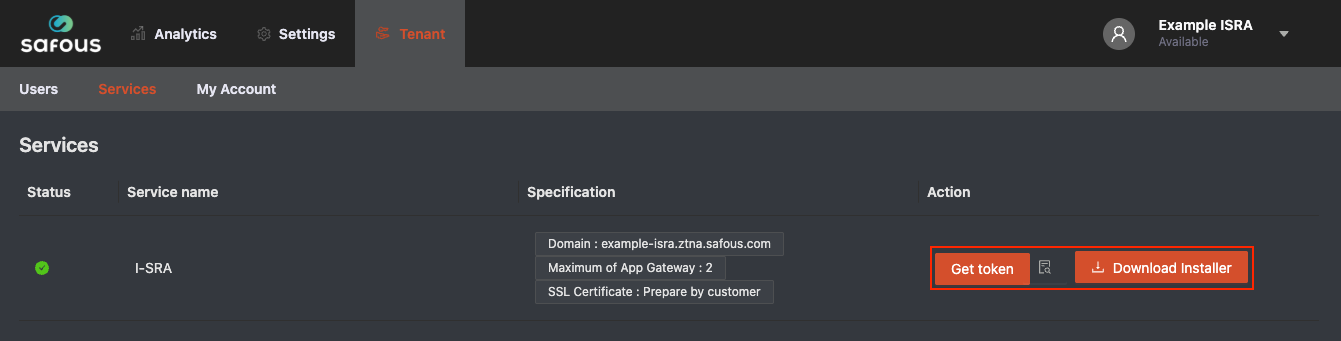
Login to Safous Admin Portal and navigate to Tenant > Services where you can find the Get Token and Download Installer button.
-
Click Download Installer button. Once you have clicked the Download Installer button, the compressed installer file will begin downloading in your browser.
-
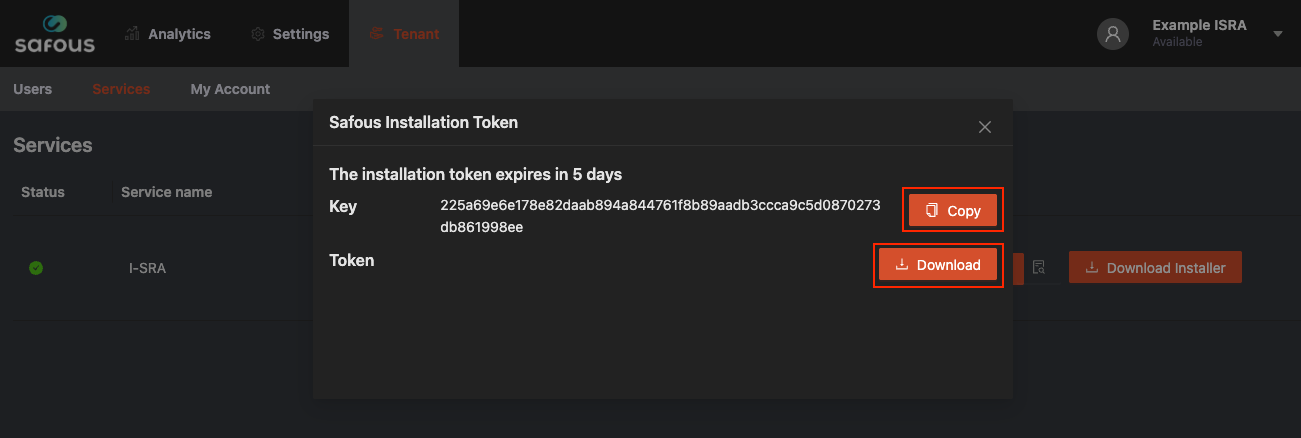
Click Get Token button. After you click the Get Token button, a pop-up window with two buttons will appear. Click Copy button and paste KEY in your notes application to be used later, then download the token by clicking the Download button.
-
Copy installer file safous-ot.tar.gz and token file ot-token.txt to POP and App Gateway server
I-SRA POP Installation
Safous OT POP acts as a server that routes traffic to and from the IDAC. In the Safous I-SRA deployment, the POP will serve only your App Gateway and will not be accessible from the public internet or outside the internal network.
Please refer to the instructions below for installing the POP in the Safous I-SRA environment:
-
Access POP Server and extract the Installer.
:~$ tar xzf safous-ot.tar.gz -
Copy your custom certificate file to safous working directory
:~$ sudo mkdir -p /etc/safous/certs:~$ sudo cp cert.pem /etc/safous/certs/:~$ sudo cp key.pem /etc/safous/certs/
Custom certificate must contain all required fields as described on the prerequisites page.
-
Set the environment variable 'KEY' from the Admin Portal.
:~$ KEY=(Paste KEY from Admin Portal) -
Run Installer.
:~$ cd safous-ot:~$ sudo bash ot-installer.sh -k $KEY -f ../ot-token.txt -
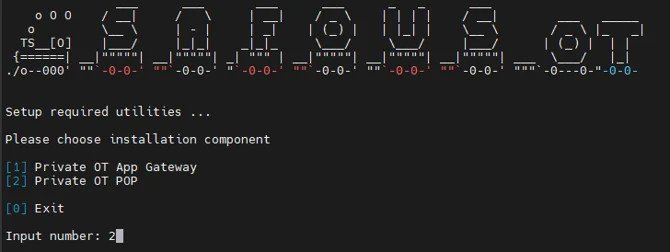
Choose the installation option [2] Install Private OT POP.
-
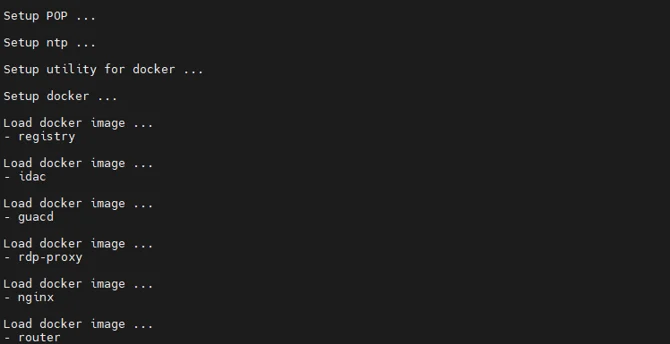
Wait for the installation to finish.
-
After the POP installation is complete, verify the running containers. There should be three containers running: router, service-gateway, and repo.
:~$ sudo docker ps
I-SRA App Gateway Installation
Safous I-SRA App Gateway acts as a connector for accessing your internal server and also located near your internal server. App Gateway not communicate directly with each other but route traffic through Safous I-SRA POP. The Safous I-SRA App Gateway will not be accessible from the public internet or outside the internal network.
Please refer to the instructions below for installing the App Gateway in the Safous I-SRA environment:
-
Access App Gateway Server and Extract the installer.
:~$ tar xzf safous-ot.tar.gz -
Copy your custom certificate file to safous working directory
:~$ sudo mkdir -p /etc/safous/certs:~$ sudo cp cert.pem /etc/safous/certs/:~$ sudo cp key.pem /etc/safous/certs/
Custom certificate must contain all required fields as described on the prerequisites page.
-
Set the environment variable 'KEY' from the Admin Portal.
:~$ KEY=(Paste KEY from Admin Portal) -
Run Installer.
:~$ cd safous-ot:~$ sudo bash ot-installer.sh -k $KEY -f ../ot-token.txt -
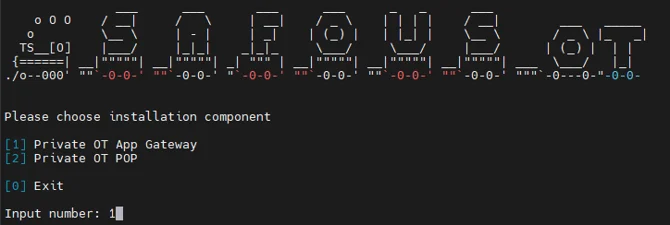
Choose the installation option [1] Install Private OT App Gateway.
-
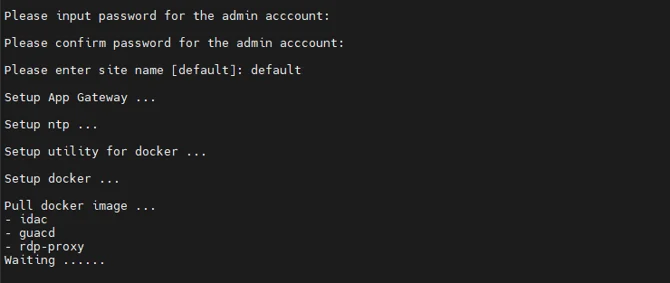
Wait for the installation to finish.
-
After the App Gateway installation is complete, verify the running containers. There should be three containers running: idac, guacd, and rdp-proxy.
:~$ sudo docker ps