Silent Installation of Safous Agent
-
Go to user portal of your tenant
-
Download MSI Agent. It will be saved as "(your tenant).msi" file


-
Run this command on Windows Power Shell (Run as Administrator)
msiexec /qn /i "(Path to Installation File)/(your tenant).msi" TENANT="https://tenant.ztna.safous.com"
-
Check the installation (in Start Menu and tray icon)

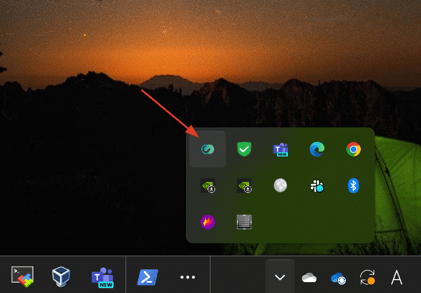
-
Try to connect
-
Done.