Decommission App Gateway
If you need to remove or decommissione one or some of your App Gateway node/s from your environment, there are several steps that need to do.
First of all you need to ensure you have access either direct or remotely (without leverage Safous ZTA service) to every single nodes that part of you Safous ZTA environment cluster. Then you need to also have access to root account or as a sudoers.
Once you ensure have those condition, let's proceed with the decommissioning !!
Decommission Procedure
-
Login to the Admin Portal => Accessing Admin Portal.
-
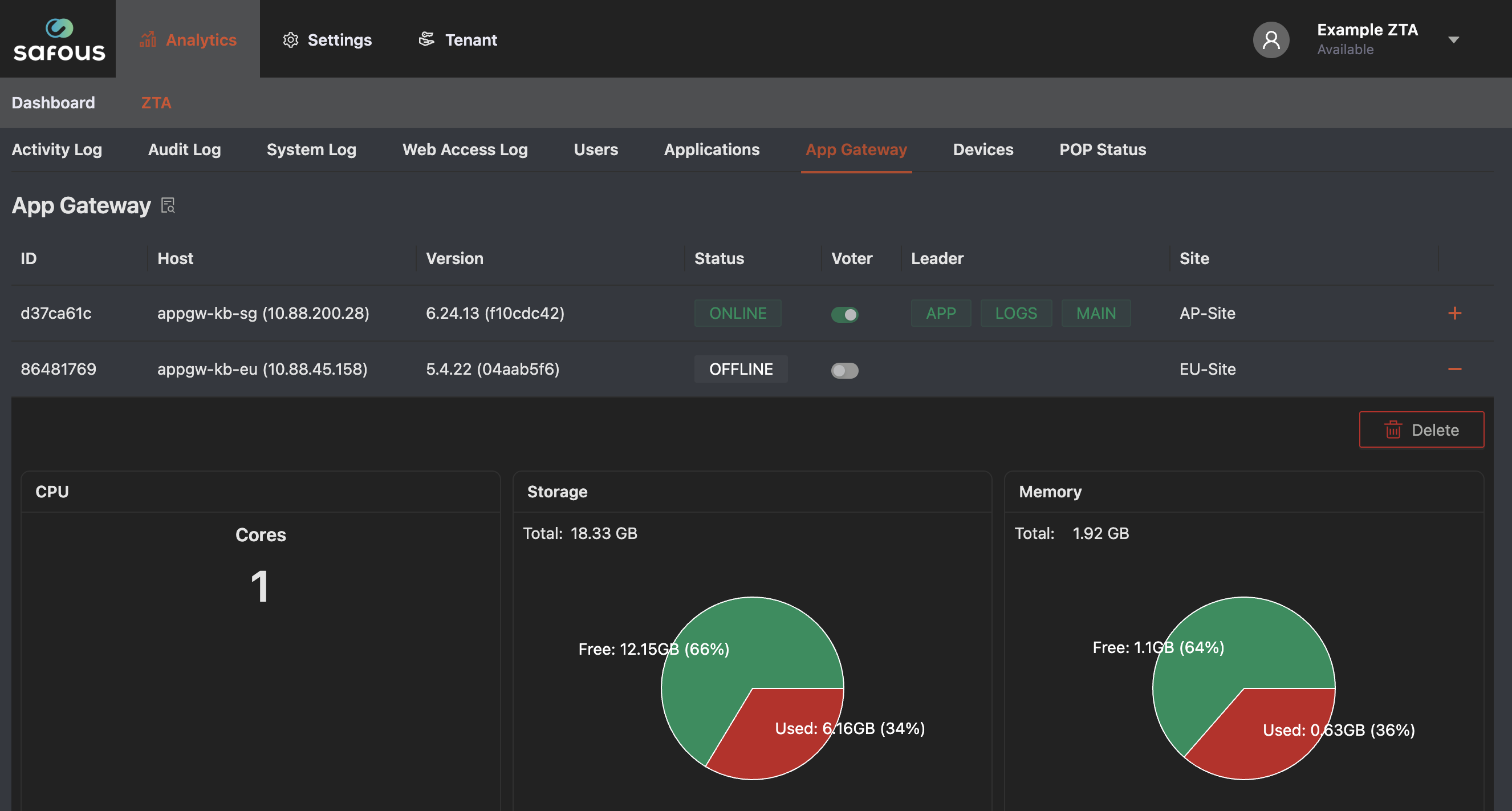
Go to Analytics / ZTA / App Gateway
-
Disable voter in App Gateway, which you want to decommission if it enables voter.
-
Click [ + ], and click Delete button
-
Login to the App Gateway node/s via SSH.
-
Next step is to take down the node/s you want to decommission by running these command
sudo docker-compose -f /etc/cyolo/config/docker-compose.yml down -
Stop and remove other component containers.
sudo docker stop guacd_1 rdp-proxy_1sudo docker rm -f guacd_1 rdp-proxy_1 -
Ensure that no App Gateway container is running anymore on the decommissioned node/s
sudo docker ps -a -
On the decommissioned/removed, please run these commands to clean up the data
sudo rm -rf /etc/cyolosudo rm -rf /etc/safoussudo rm -rf /blobs -
When everything finished, try access your user-portal domain and ensure it works normally
-
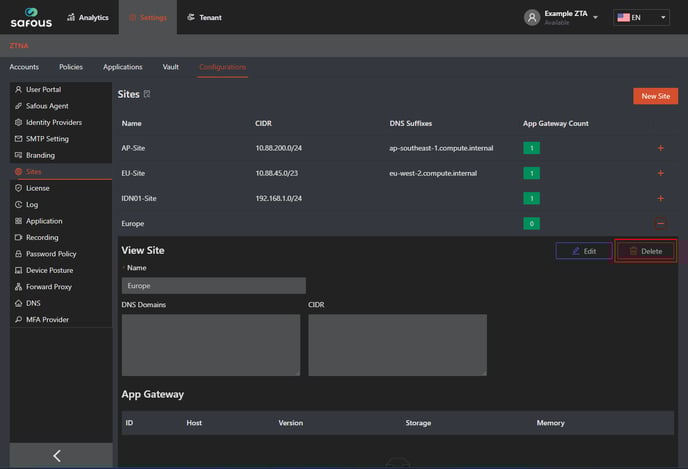
Lastly please access to admin portal (https://portal.safous.com) then go to Setting > ZTA > Configurations > Sites
-
Choose the Site which doesn't have any App Gateway, click (+) sign and click delete
That's all, you successfully decommission/remove the App Gateway node/s !!