Grant access to Recording data
note
This feature requires PRA license
This article serves to guide you on how to grant groups access to recording data
-
Navigate to Settings > ZTNA > Accounts > Groups.
-
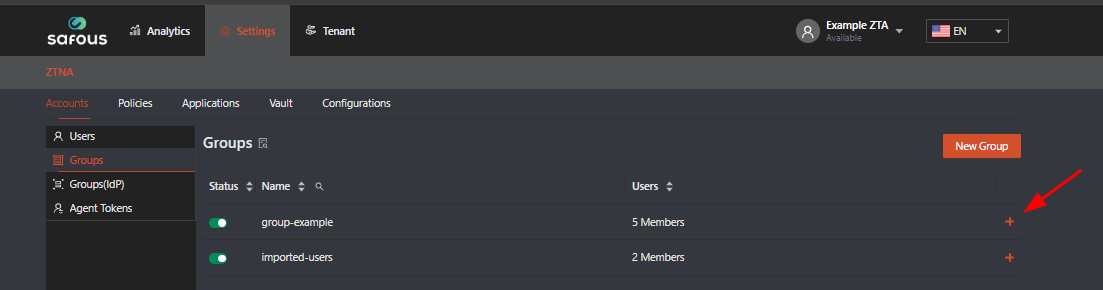
Click the plus icon (+) on the right side of the group to which you want to add recording permissions.
-
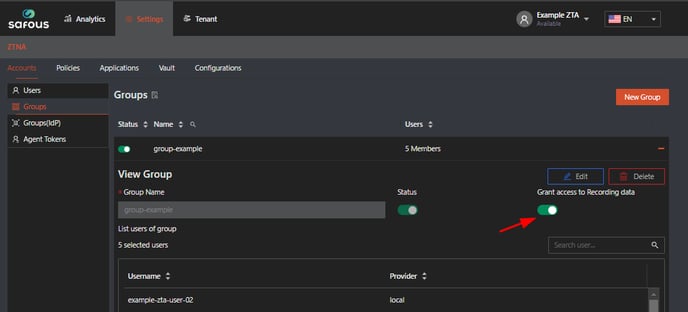
Click the "Grant access to Recording data" toggle button; green indicates that the access has been granted.
-
The user belonging to the group can now log in to the user portal and confirm whether the recording tab is present, as shown in the screenshot below.
