Recordings
Safous PRA provides visibility into user activities via generated logs and session records for logging and auditing purposes. This article provides an overview of the Recording Page, where recorded user activity sessions can be accessed for auditing purposes. For more information about logging and recording configuration, please refer to the following articles:
The Recording Page displays a list of recorded user sessions for each application. A recording begins when a user accesses an application and ends when the session is closed. You can choose to play or delete a specific record from the list.
To access the Recording Page, navigate to https://recordings.tenant.gw.safous.com or select the Recordings system application from the User Portal.
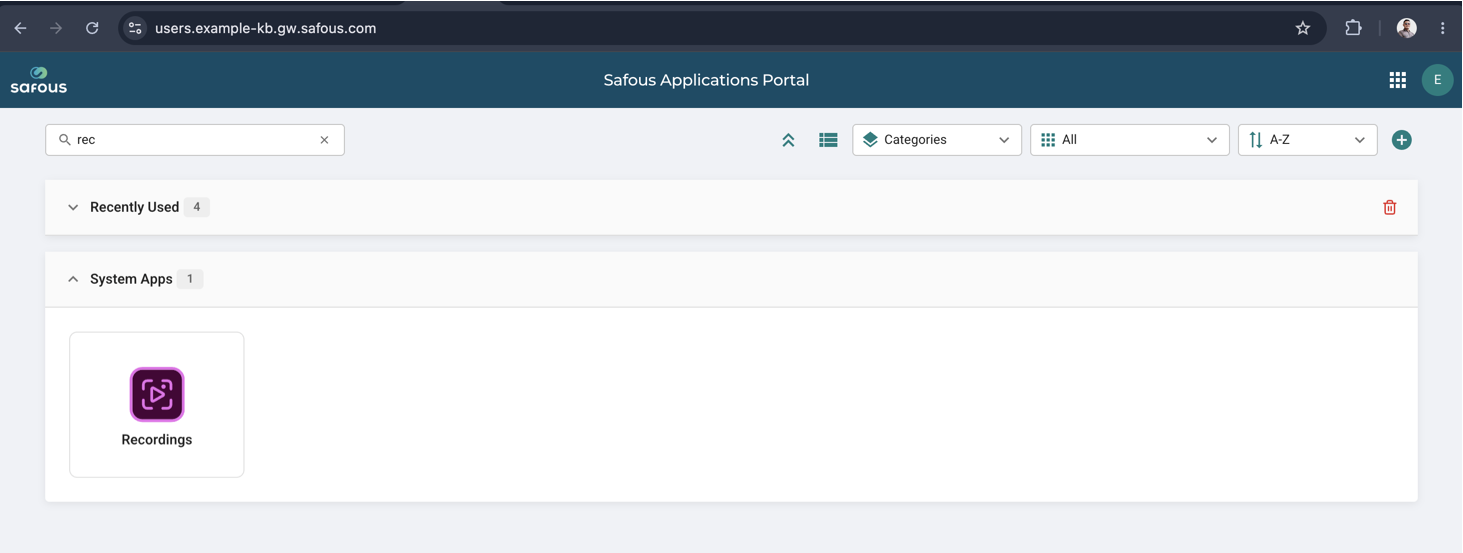
Please note that the page is only accessible to users who have been granted access. To grant access to the Recording Page, please refer to the Supervision Roles documentation.
Users with the appropriate permissions can view all recordings across all users. For this reason, access should be granted only to authorized personnel, such as auditors.
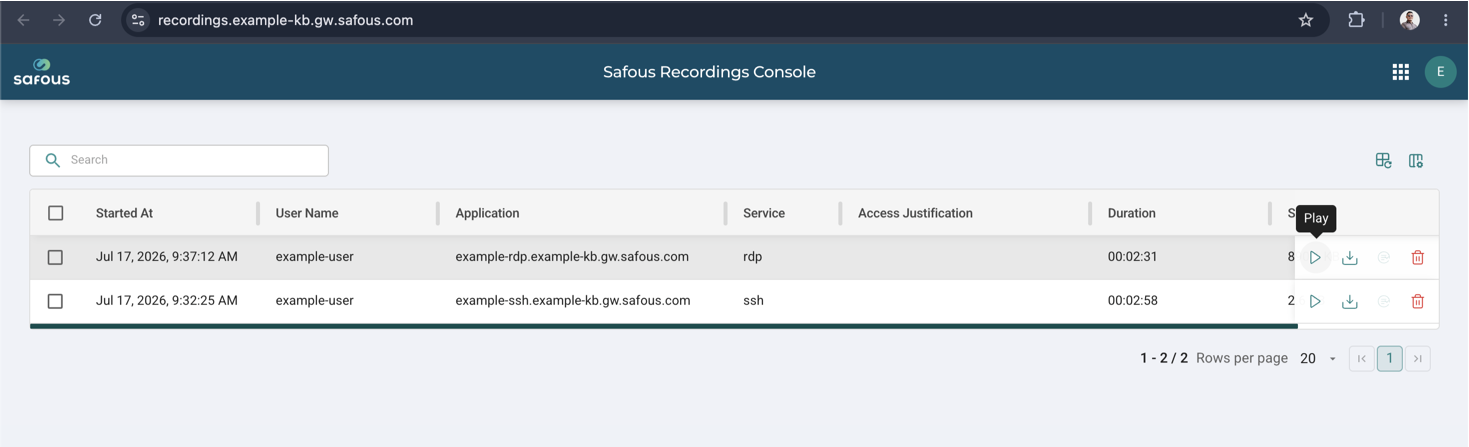
The Play and Delete actions are displayed on the right side of the recording entry when you hover over it.
Currently recordings are supported only for SSH, RDP, VNC, and Telnet applications.