Trusted Certificates
Overview
CA certificates are used in the Safous platform to form trust to end-entity certificates issued by them. The CA certificates are used in Conditions profiles and Device Policies to validate end-entity certificates.
Prerequisites
- The admin user must have in hand the CA certificate in PEM format. The certificate file can have the file extensions .pem, .cer or .crt.
Configuration
-
Log in to the Safous Admin Portal.
-
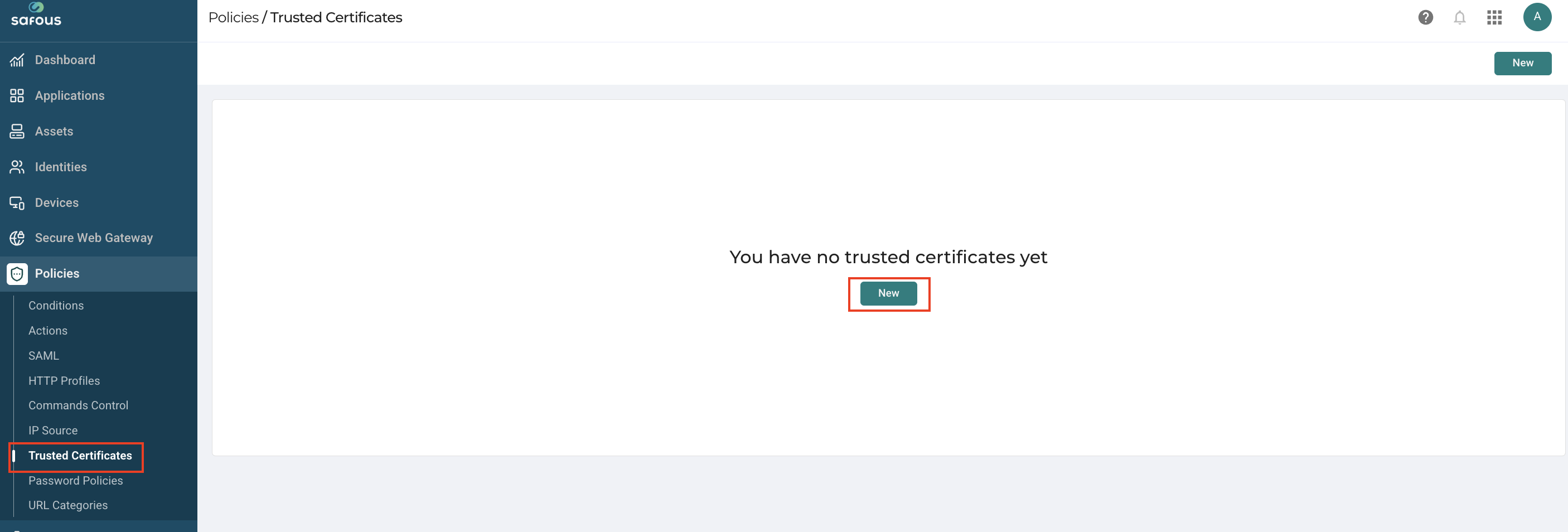
Navigate to the Policies > Trusted Certificates page.
-
Click the Add button.
-
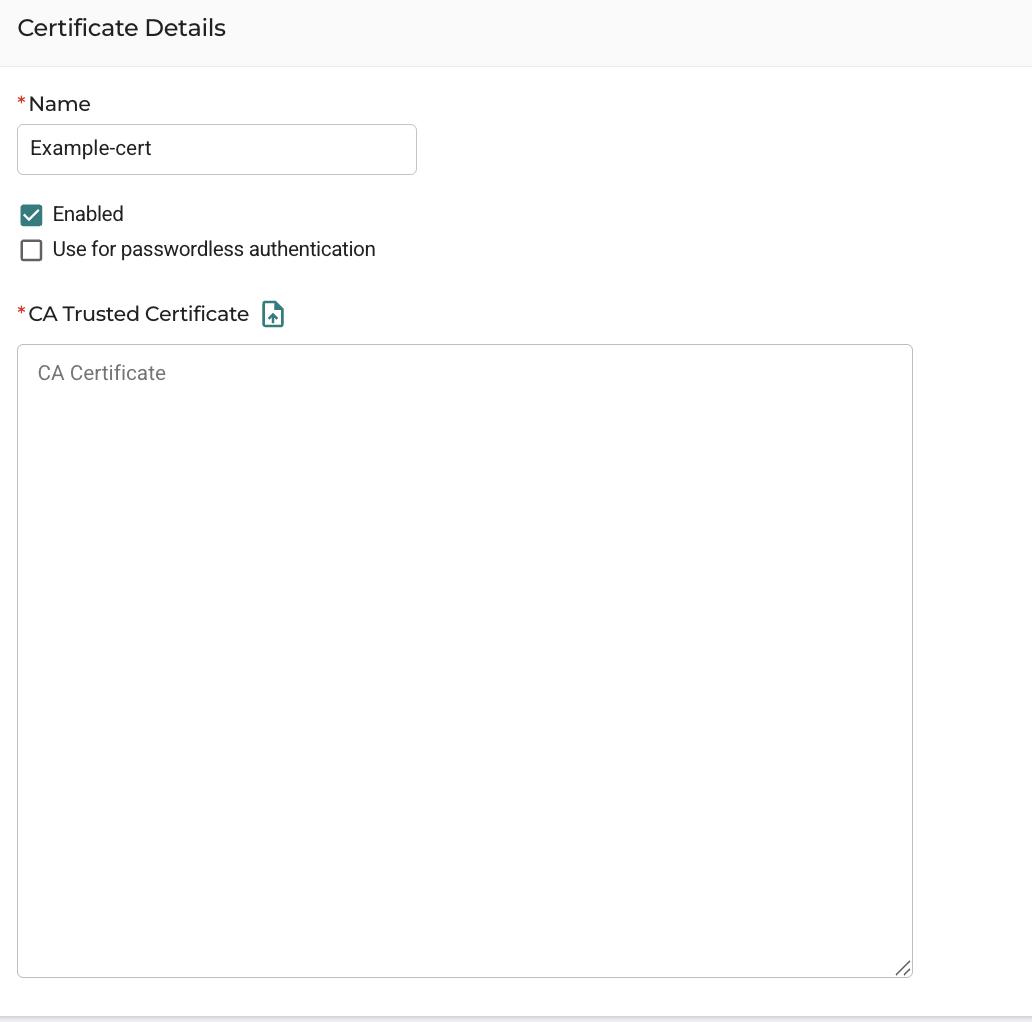
In the Add trusted certificate window, enter a name for the file.
-
Paste the contents of the PEM certificate file in the text box under CA Trusted Certificate, or click the upload icon to select the file.
-
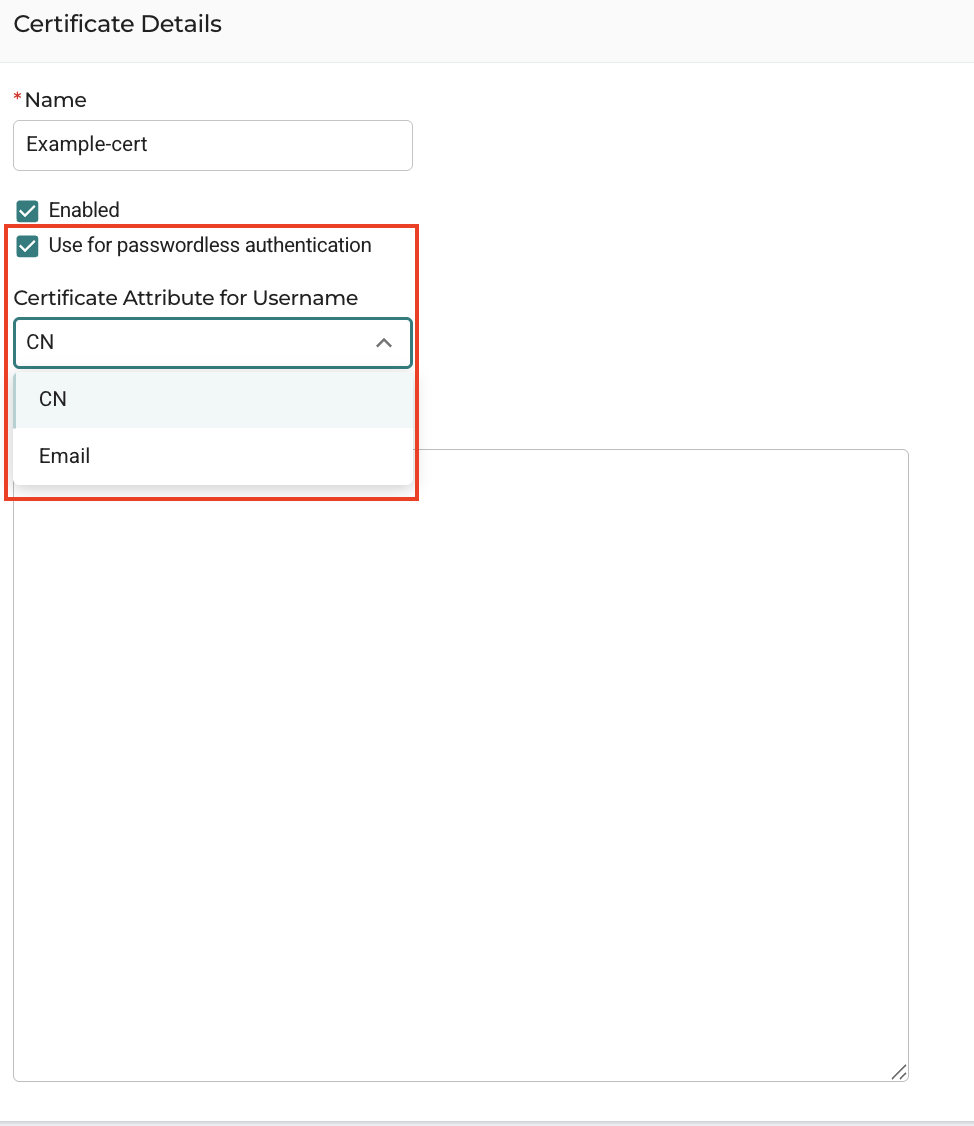
To enable Safous Agent passwordless authentication:
-
Check the 'Use for passwordless authentication' checkbox.
-
Choose the certificate attribute used to identify the user (CN or Email).
-
-
Click Create.
-
The certificate will be listed on the page and can now be used when configuring Conditions profiles or Device Policies.